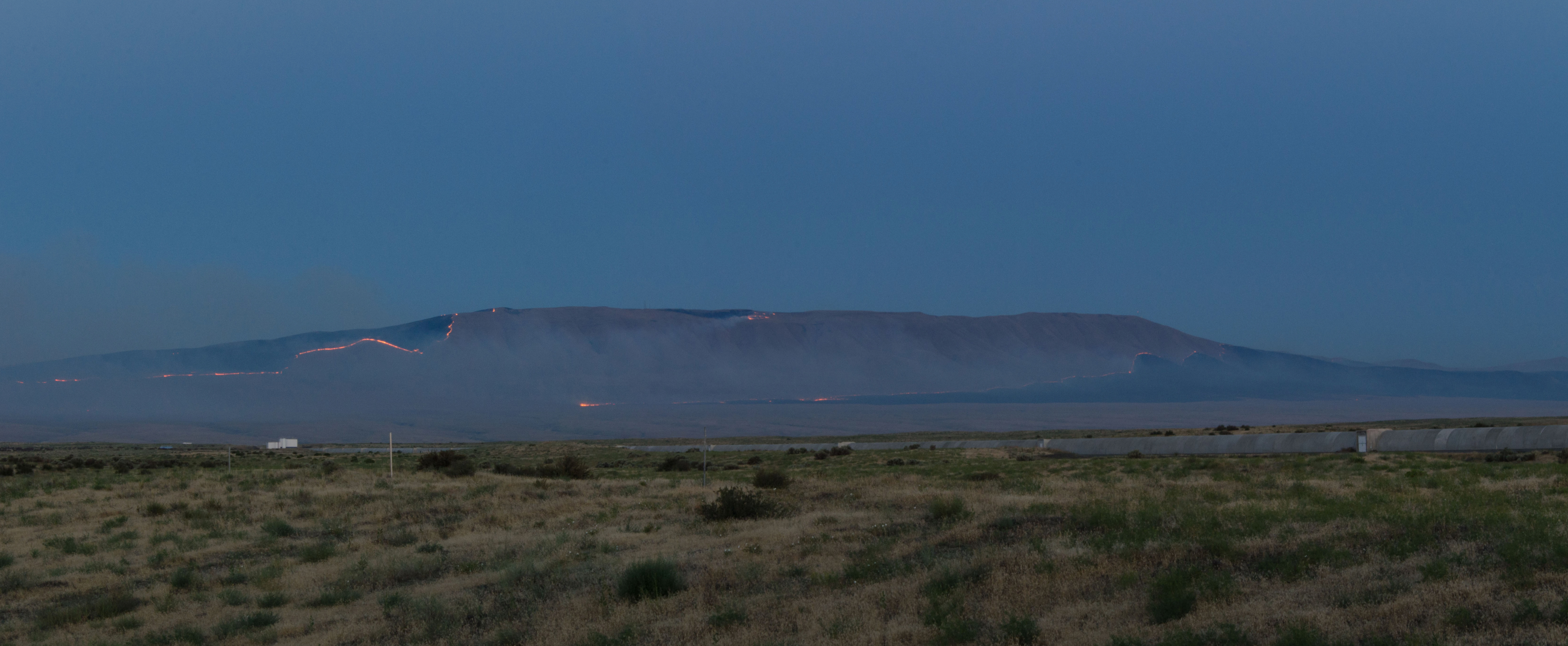
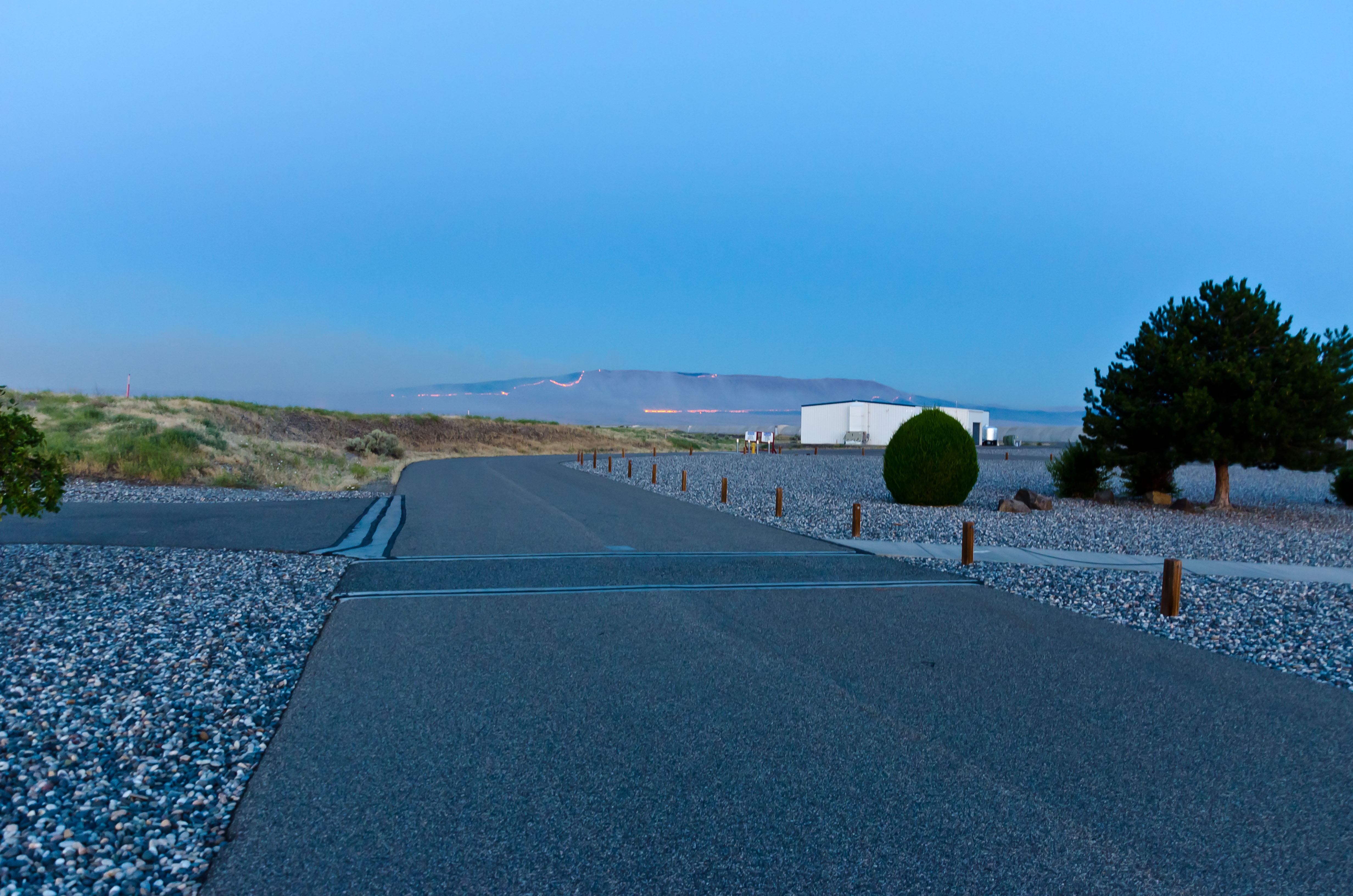
My best guess of the distance from the Y end station is about 6 miles. The direction of travel appears to be South-East mainly along the NW ridge of Rattlesnake Mountain and a bit down into the foothills below (see camera picture).
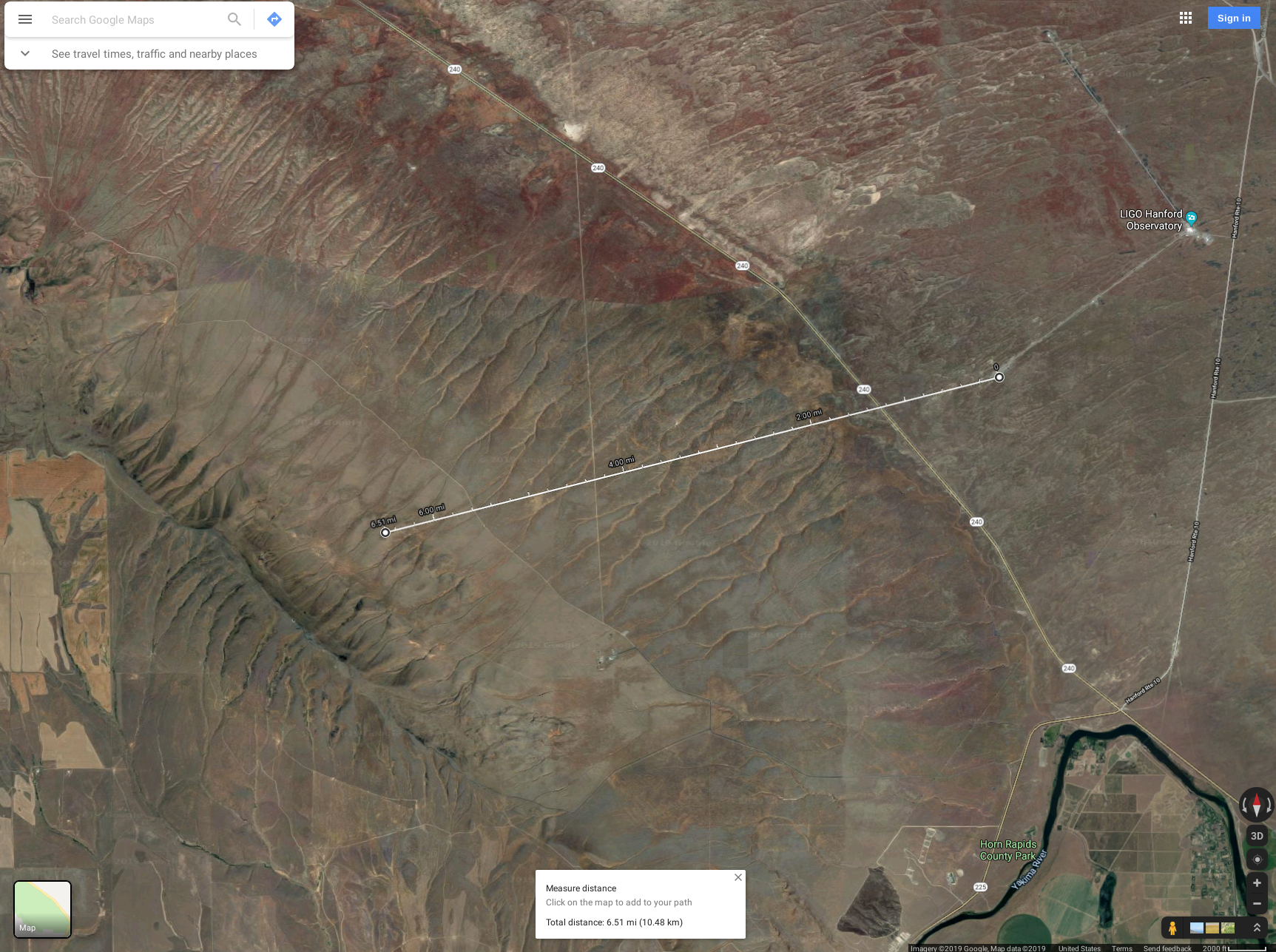
(From EY camera)

The fire seems to be staying mainly on the South-West side of Rattlesnake but still spreading to the Southeast. The highways have been reopened according to the advisory page.
Some shots of Rattlesnake from around the parking lot(s).
After consultation with the operator.
Bypass will expire:
Fri Jul 19 09:34:00 PDT 2019
For channel(s):
H0:FMC-CS_FIRE_PUMP_1
H0:FMC-CS_FIRE_PUMP_2
TITLE: 07/19 Owl Shift: 07:00-15:00 UTC (00:00-08:00 PST), all times posted in UTC
STATE of H1: Observing at 114Mpc
OUTGOING OPERATOR: Ed
CURRENT ENVIRONMENT:
Wind: 32mph Gusts, 19mph 5min avg
Primary useism: 0.08 μm/s
Secondary useism: 0.13 μm/s
QUICK SUMMARY: Fire on Rattlesnake mountain, much of highway 240 is closed from Route 10 westward. The wind is gusting up near 35mph, making the ASC FOMs look like they are hard at work to keep this 3.5 hour lock going.
TITLE: 07/19 Eve Shift: 23:00-07:00 UTC (16:00-00:00 PST), all times posted in UTC
STATE of H1: Observing at 114Mpc
INCOMING OPERATOR: TJ
SHIFT SUMMARY:
LOG:
00:55 after a few failed attempts at relocking and optimizing PRMI with ASC and manually, I'm moving to Initial Alignment
01:18 Begin re-locking
02:09 Switched SEI_CONF to VERY_WINDY_NOBRSXY
02:28 Holding H1 DOWN - I think the wind and the higher uSeism is hindering my re-locking attempts. Going for dinner.
03:42 NLN - Accepted accuracy diffs and one other. See aLog
23:58 handing off to TJ
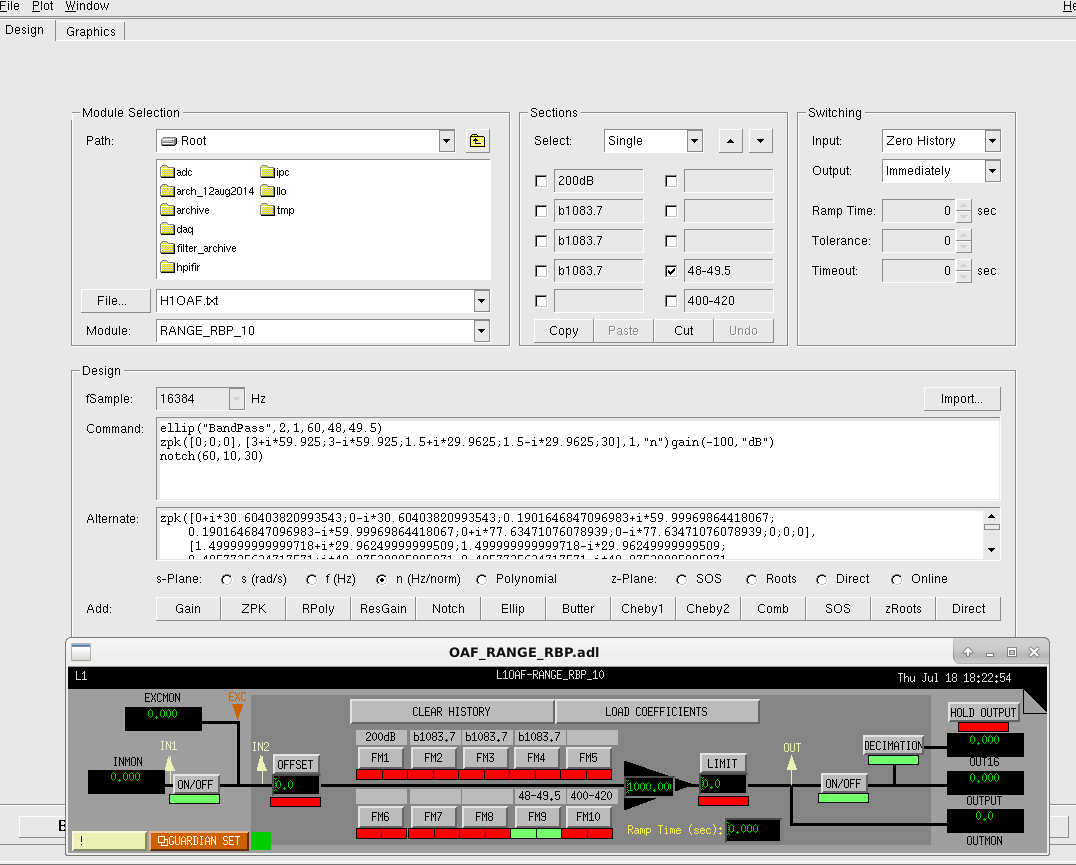
I added 48-49.5Hz bandpass to FM10 of H1:OAF-RANGE_RBP_10 to monitor 48+Hz bump, loaded H1OAF coefficients, disabled 200dB gain and 1083.7Hz bandpasses (FM1, FM2 and FM3) and accepted the SDF diff.
This was/is not used for control room monitor nor for anything else.
Carlos P., Kyle R.
VBOC's RGA application software was indicating that both of the analyzer's filaments were not working, i.e. were open circuits. This condradicted my ohmic measurements of the filament pins on the analyzer -> Swapping the RGA's electronics as a troubleshooting comparison revealed a new, unrelated, problem. The appllication software was unable to "talk" with the newly installed electronics box. The software version of the appllication software and the firmware on this newly installed electronics should have been compatible -> Long story short, at some point in the past, the wifi on the laptop had been enabled (BAD idea) which, then, allowed the 3-year old (but working) outdated applilcation software to update itself which then required updated "firmware" to be loaded onto the new electronics (...since when has "firmware" been downloadable?) Anywhoo, this resulted in 4 days worth of wasted time, discovering bugs and working with vendor service techs to wade through workarounds etc. Ultimately, with Carlos P.'s help, we were able to get the laptop to communicate with the, now updated replacement RGA electronics module.
I'll send the original electronics back to the vendor to repair the pseudo filament issue.
As per Sheila's instructions
I guess I should have mentioned that we just experienced a lockloss @ 00:30UTC
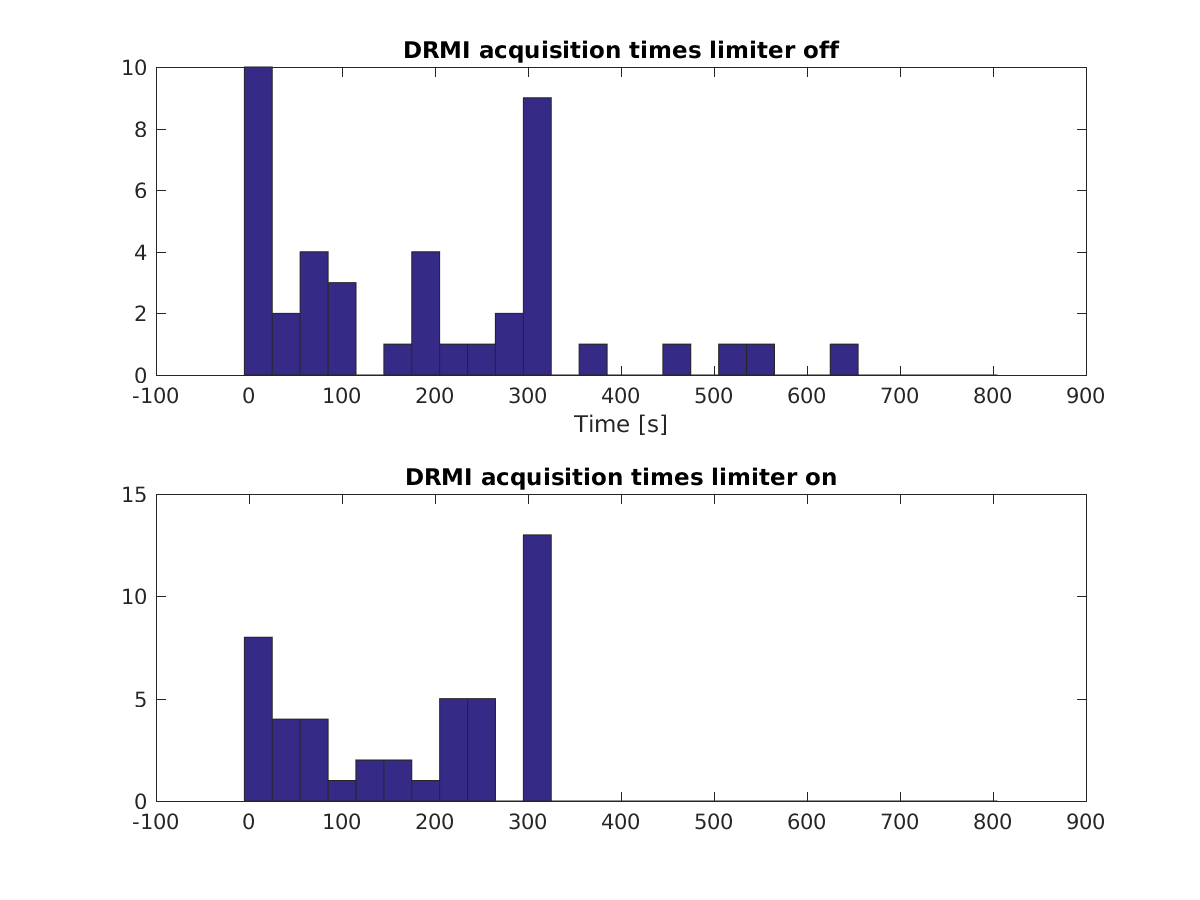
On Monday July 15th I edited the DRMI guardian to not use the limiter in the beam splitter, in part to see what the impact was on DRMI acquisition time, and in part to see if we saturate the coil drivers while trying to acquire with out the limiter on.
This was a limiter that Kiwamu had installed several years ago, there is a high pass before the limiter and the opposite low pass after the limiter.
We do saturate the beam splitter without the limiter on, and the acquisition time seems to be worse. The attached histogram shows 46 locking attempts from this week (limiter on) and last week (limiter off).
I changed reverted the changes in the DRMI guardian, so that we should be back to faster DRMI locking now.
End Of Shift Note:
Operators: If we are out of OBSERVING, will want to run a "LOAD" on the ISC_LOCK (for a BS limiter for DRMI locking change via Sheila).
TITLE: 07/18 Eve Shift: 23:00-07:00 UTC (16:00-00:00 PST), all times posted in UTC
STATE of H1: Observing at 112Mpc
OUTGOING OPERATOR: Corey
CURRENT ENVIRONMENT:
Wind: 21mph Gusts, 15mph 5min avg
Primary useism: 0.08 μm/s
Secondary useism: 0.15 μm/s
QUICK SUMMARY:
Wildfire on the range out between the arms about 5-7 miles away. Winds pushing this way. Many are watching this. Air handlers aer staying on to provide positive pressure. I will keep an eye on this as best I can and will heed any orders to evacuate the site if necessary.
TITLE: 07/18 Day Shift: 15:00-23:00 UTC (08:00-16:00 PST), all times posted in UTC
STATE of H1: Observing at 115Mpc
INCOMING OPERATOR: Ed
SHIFT SUMMARY:
Earthquake & fire today!
LOG:
21:36 First mention of a fire NW of site (by Dick)
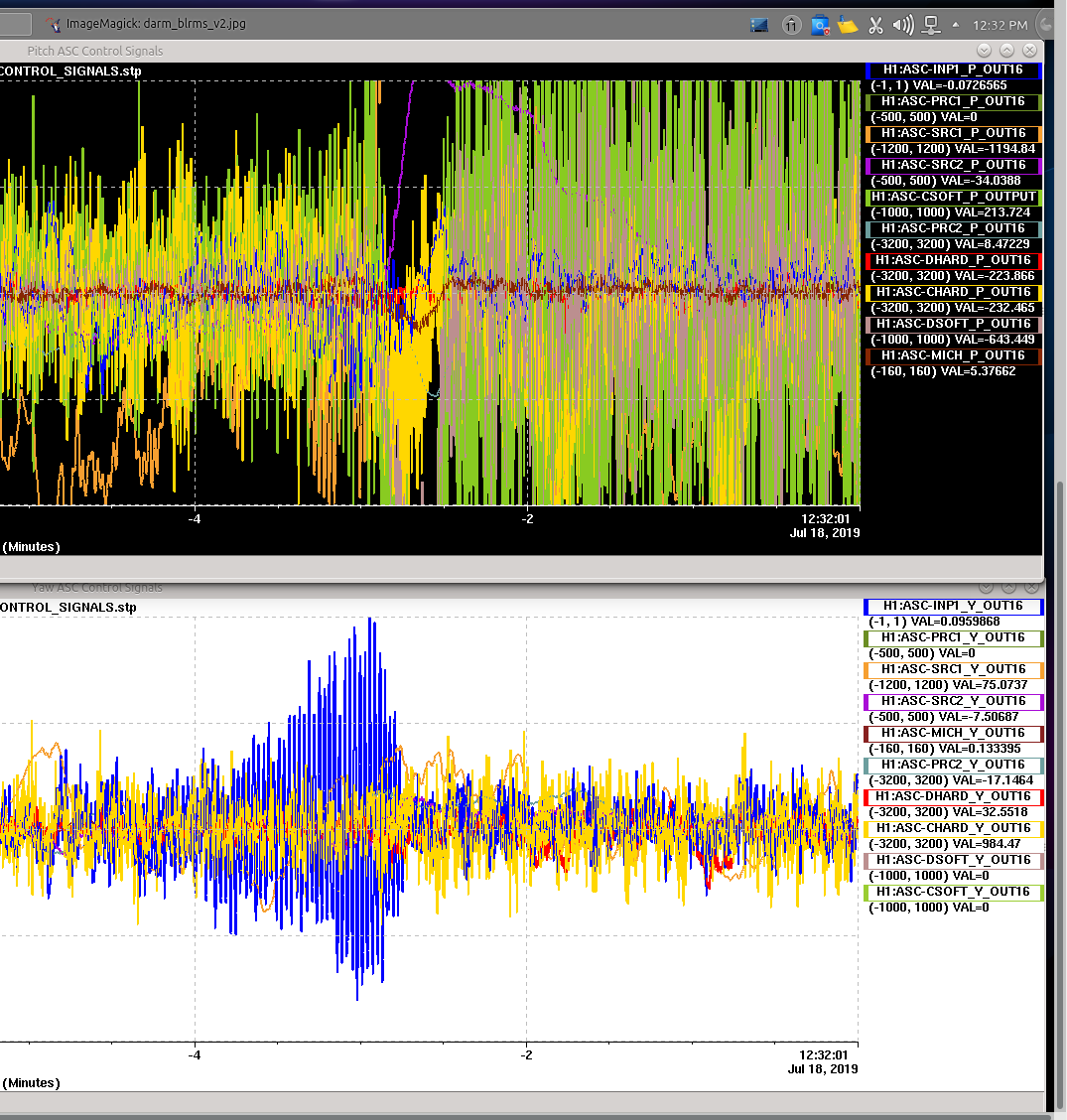
After the EQ lockloss, had the issues which were new to me:
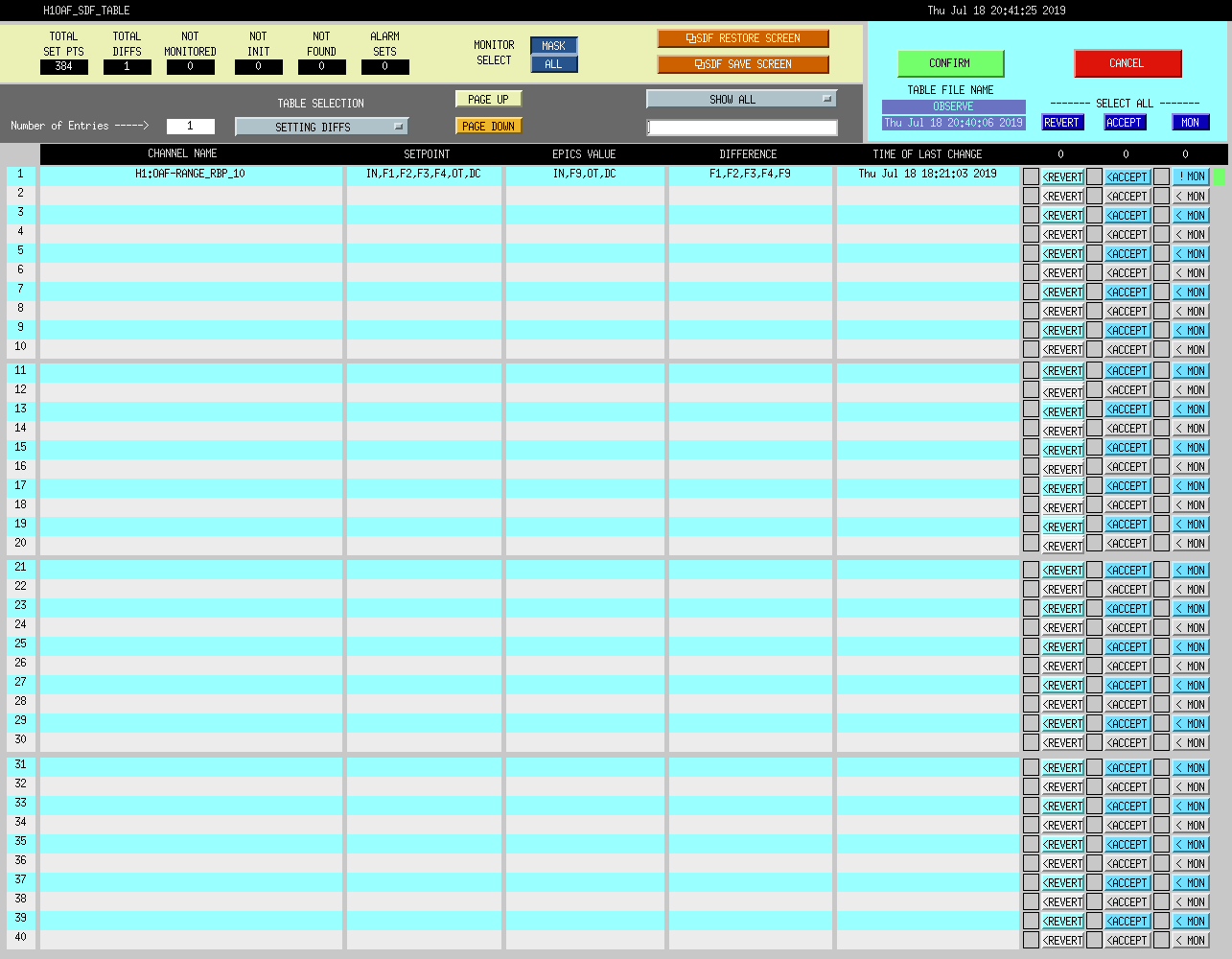
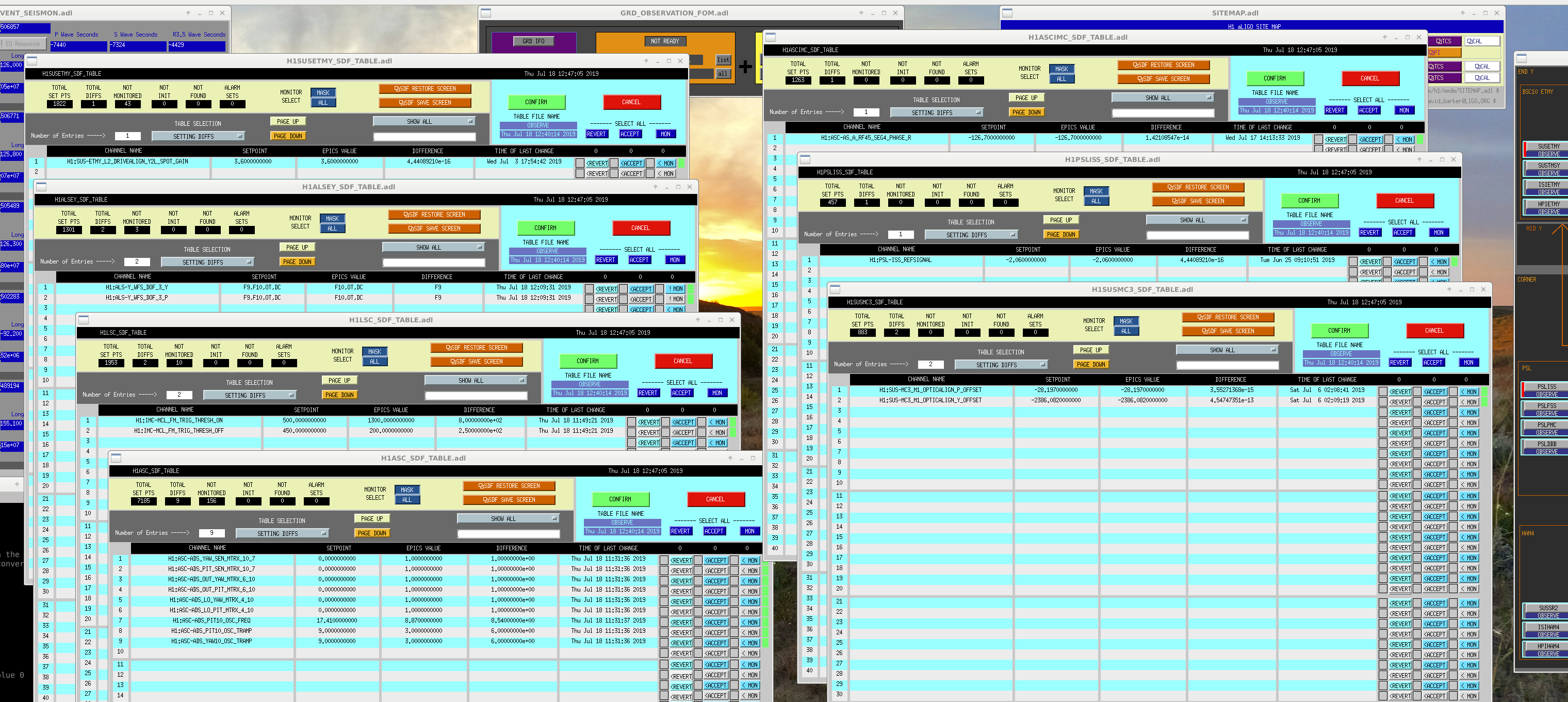
Had a few SDF diffs (see attached of screenshot before accepting) which I went through with Sheila (ACCEPTED all of them....but wondering if we'll get them again).
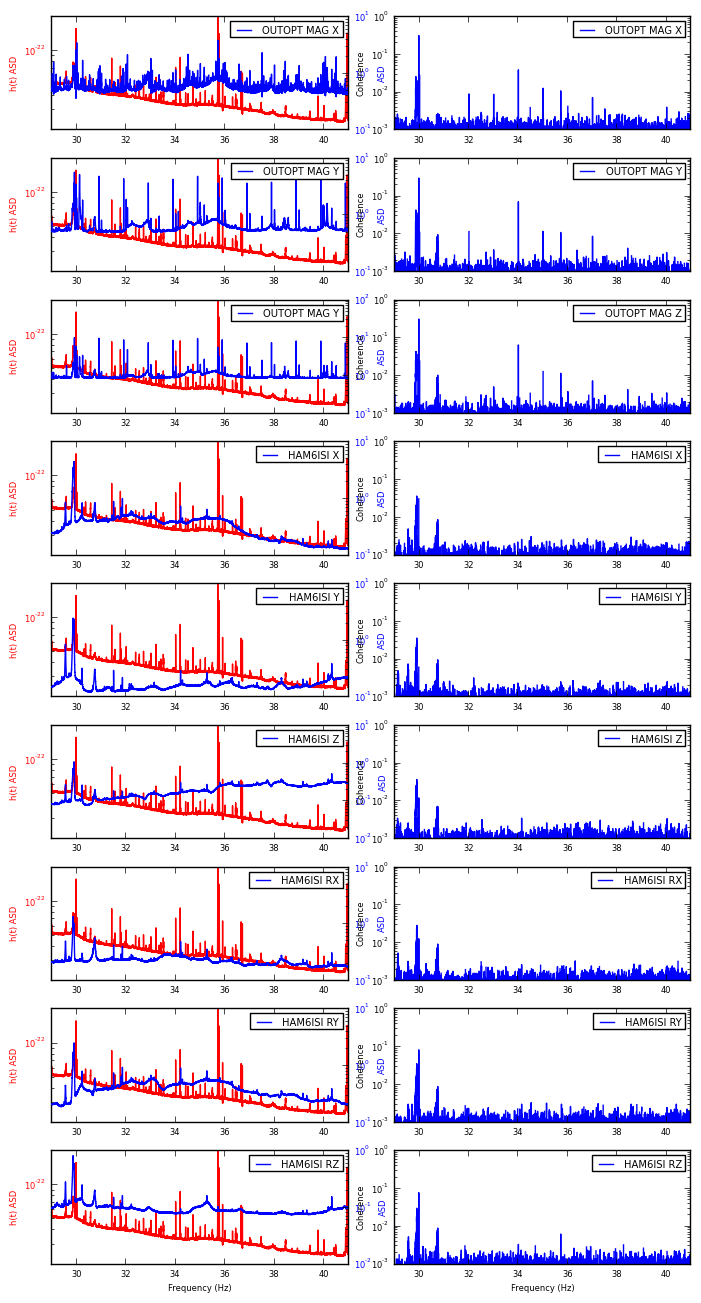
In order to investigate the origin of spectral artifacts observed by averaging 1800 s long FFTs (CW group calls these Short Fourier Transforms, SFTs), I have also created 1800 s long FFTs of some auxiliary channels in addition to the standard h(t) derived SFTs. Sheila suggested looking at the HAM6 ISI motion while Anamaria has suggested looking at the OUTPUTOPTICS magnetometer channels. These noise artifacts are most prevalent below 100 Hz, so that is the focus of this investigations I have created run-averaged, noise weighted spectra from 1800 s long SFTs (using lalapps_spec_avg_long): H1:GDS-CALIB_STRAIN H1:PEM-CS_MAG_LVEA_OUTPUTOPTICS_X_DQ H1:PEM-CS_MAG_LVEA_OUTPUTOPTICS_Y_DQ H1:PEM-CS_MAG_LVEA_OUTPUTOPTICS_Z_DQ H1:ISI-HAM6_BLND_GS13X_IN1_DQ H1:ISI-HAM6_BLND_GS13Y_IN1_DQ H1:ISI-HAM6_BLND_GS13Z_IN1_DQ H1:ISI-HAM6_BLND_GS13RX_IN1_DQ H1:ISI-HAM6_BLND_GS13RY_IN1_DQ H1:ISI-HAM6_BLND_GS13RZ_IN1_DQ as well as run-averaged coherence between H1:GDS-CALIB_STRAIN and the auxiliary channels listed above. Attached are zoomed plots for every 10 Hz (1 Hz overlapping so we can see artifacts near 10 Hz boundaries). Apologies that some figure labels somewhat overlap. I couldn't make more space in between the columns to separate the labels (Blue "ASD" label belongs to the left column and "Coherence" label belongs to the right column plots). Left hand plots show spectra (h(t) in RED, auxiliary channel in BLUE); right hand plots show coherence between auxiliary channel and h(t). Unfortunately, nothing really jumps out at me as an indicator of correlation or coherence between the above listed auxiliary channels. The auxiliary channels show plenty of structure, but not much overlap with h(t). It has been suggested by Sheila that perhaps the coupling may change with time, thus degrading coherence measure. I tried to overcome this by simply averaging over the whole O3 run up until now between h(t) and auxiliary channels. Below are listed the top 10 coherences by frequency in the 10-100 Hz band between h(t) and auxiliary channels for each channel, excluding 60 +/- 0.5 Hz and calibration lines +/- 1 mhz. Columns are: Frequency | coherence | (rough) empirical SNR Here, the (rough) empirical SNR is simply the calculation: [coherence - mean(coherence)]/std(coherence) OUTPUTOPTICS_MAG_X 29.9694 0.3250 76.9 17.7983 0.2893 68.5 17.7989 0.2804 66.4 17.7994 0.2774 65.6 17.7978 0.2681 63.4 17.8000 0.2630 62.2 17.8022 0.2432 57.5 17.8044 0.2386 56.4 17.8033 0.2354 55.7 17.7972 0.2352 55.6 OUTPUTOPTICS_MAG_Y 29.9694 0.3097 205.2 99.9989 0.2094 138.7 99.9983 0.0961 63.5 34.0000 0.0732 48.3 29.8511 0.0441 29.0 29.8539 0.0422 27.7 29.8572 0.0407 26.7 13.1506 0.0405 26.6 29.8528 0.0403 26.5 89.9089 0.0402 26.4 OUTPUTOPTICS_MAG_Z 29.9694 0.3245 179.7 99.9989 0.2055 113.7 99.9983 0.0951 52.5 17.8311 0.0902 49.8 17.8283 0.0848 46.8 17.8306 0.0820 45.2 17.7983 0.0805 44.4 17.8289 0.0754 41.6 17.8272 0.0702 38.7 17.8244 0.0701 38.6 HAM6_ISI_X 99.9989 0.1801 122.9 99.9983 0.0667 45.3 15.1039 0.0646 43.9 15.1044 0.0584 39.6 15.1033 0.0549 37.2 13.1478 0.0483 32.7 13.1439 0.0405 27.4 17.7956 0.0386 26.1 17.8056 0.0381 25.7 29.8878 0.0379 25.6 HAM6_ISI_Y 99.9989 0.1955 143.6 99.9983 0.0807 59.1 15.1033 0.0504 36.8 15.1039 0.0483 35.2 15.1044 0.0421 30.7 13.1478 0.0407 29.6 13.1417 0.0375 27.3 29.8878 0.0373 27.1 13.1439 0.0365 26.5 13.0956 0.0362 26.3 HAM6_ISI_Z 99.9989 0.1337 93.7 15.1039 0.0629 43.9 15.1044 0.0559 39.0 15.1033 0.0539 37.6 99.9983 0.0480 33.4 13.1478 0.0467 32.5 13.1439 0.0415 28.8 13.1456 0.0395 27.4 29.8878 0.0382 26.5 13.1661 0.0375 26.0 HAM6_ISI_RX 99.9989 0.1363 99.5 15.1039 0.0474 34.4 15.1044 0.0431 31.2 13.1478 0.0419 30.3 17.7983 0.0401 29.0 15.1033 0.0398 28.8 13.1439 0.0392 28.4 13.1033 0.0392 28.4 13.1178 0.0384 27.8 17.8028 0.0383 27.7 HAM6_ISI_RY 99.9989 0.1030 76.3 29.9694 0.0851 63.0 15.1039 0.0633 46.7 15.1044 0.0553 40.8 15.1033 0.0539 39.8 13.1478 0.0474 34.9 13.1439 0.0397 29.2 13.1456 0.0386 28.4 13.1661 0.0372 27.3 29.8878 0.0366 26.9 HAM6_ISI_RZ 99.9989 0.1683 156.6 29.9694 0.0796 73.9 99.9983 0.0724 67.2 15.1039 0.0538 49.8 15.1044 0.0528 48.9 15.1033 0.0483 44.7 13.1478 0.0335 30.9 89.9089 0.0333 30.7 13.1661 0.0316 29.1 29.8878 0.0309 28.4 It's possible that some frequencies (like the 99.9989 Hz) line is polluting many different channels, so it shows up in both magnetometers, ISI sensors, and h(t). Maybe fixing some of these in the top-list will also fix other lines that are polluting h(t), especially in the 20-70 Hz band, where the line density is worst. Some further investigative work is needed on additional auxiliary channels. Other ideas?
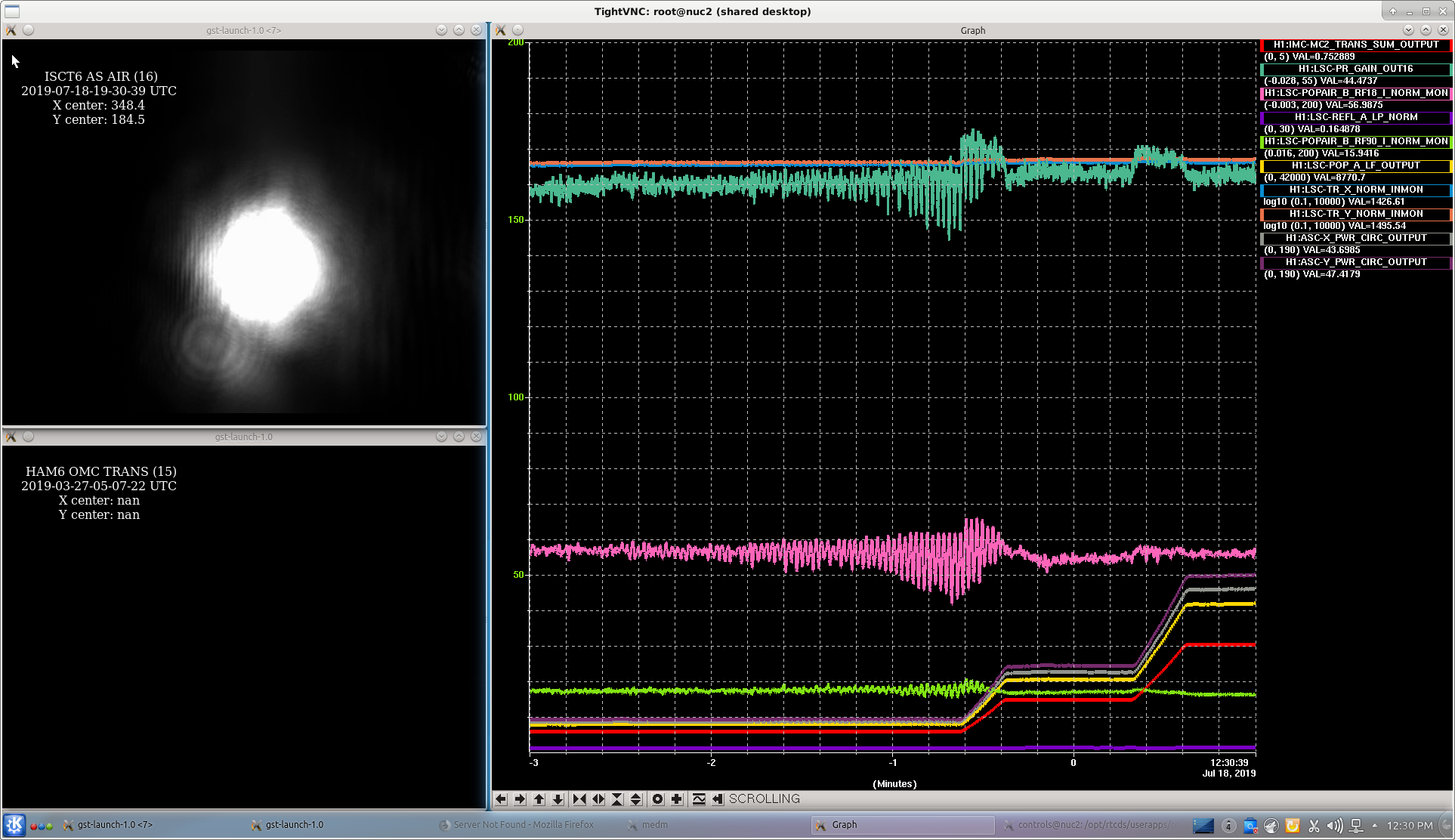
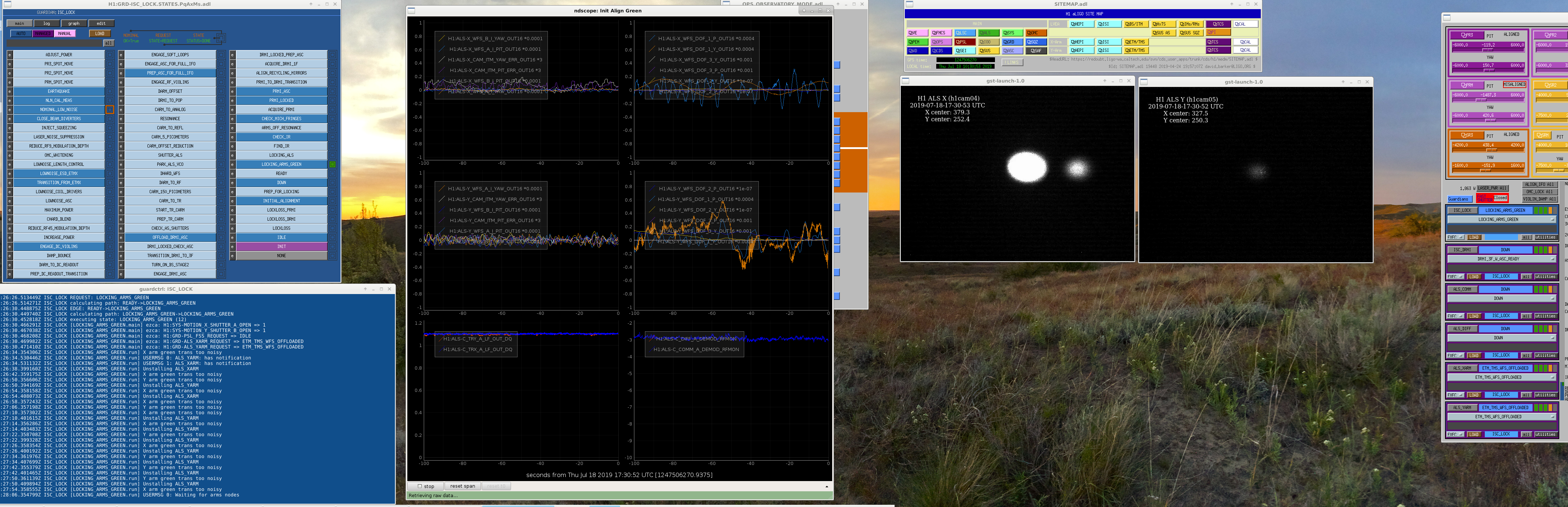
After the Hidalgo, Mexico Earthquake lockloss, ISC_LOCK went for LOCKING_ARMS_GREEN, and it appeared to get there with no problem, but the weird thing I noted was ISC_LOCK thought we were in LOCKING_ARMS_GREEN, and the values for ALS x & y on NDSCOPE both looked nominal (over 1.0 counts), BUT the video spot for ALSy did not look right.
Instead of a bright 0:0 mode for ALSy, we had a very faint spot---and ISC_LOCK & green arm power looked OK! (see attached screen shot)
I unlocked green Y, tweaked alignment only a little, but it would do the same thing. I would actually see a nice bright 0:0 mode, but it would then immediately drop in intensity on the video (perhaps in 2-steps).
ISC_LOCK was happy so I moved on. Still waiting to see if we can live with this (1st attempt did not lock DRMI, so trying it again).
Watching the ALSy video a few more times, it looks as if there are 3 steps down in the power (by my eye watching the video).
Mentioned this to Sheila and her thought was this might possibly be an issue with the Video for ALSY
This Is A New Issue/Feature!
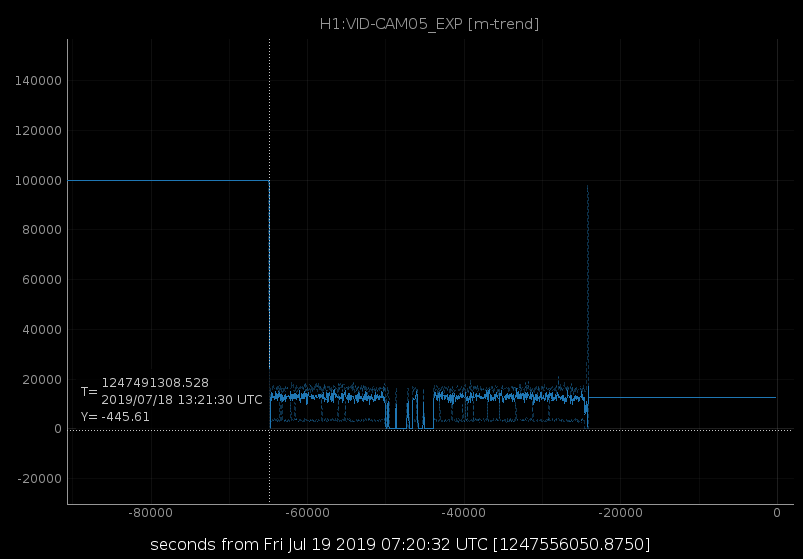
I found that the auto exposure was set to "ON" and the value slider was all the way down. I turned auto exp "OFF" and turned up the exposur to match that of the X camera. It seems to have stayed through another IA/Locking process(es).
July 18th at 13:20 PDT the auto exposure was turned on, most likely by accident. Ed restored this to the x value, I'll restore it to the previous value of 100000 if we lose lock (I don't know if this is an accepted SDF).