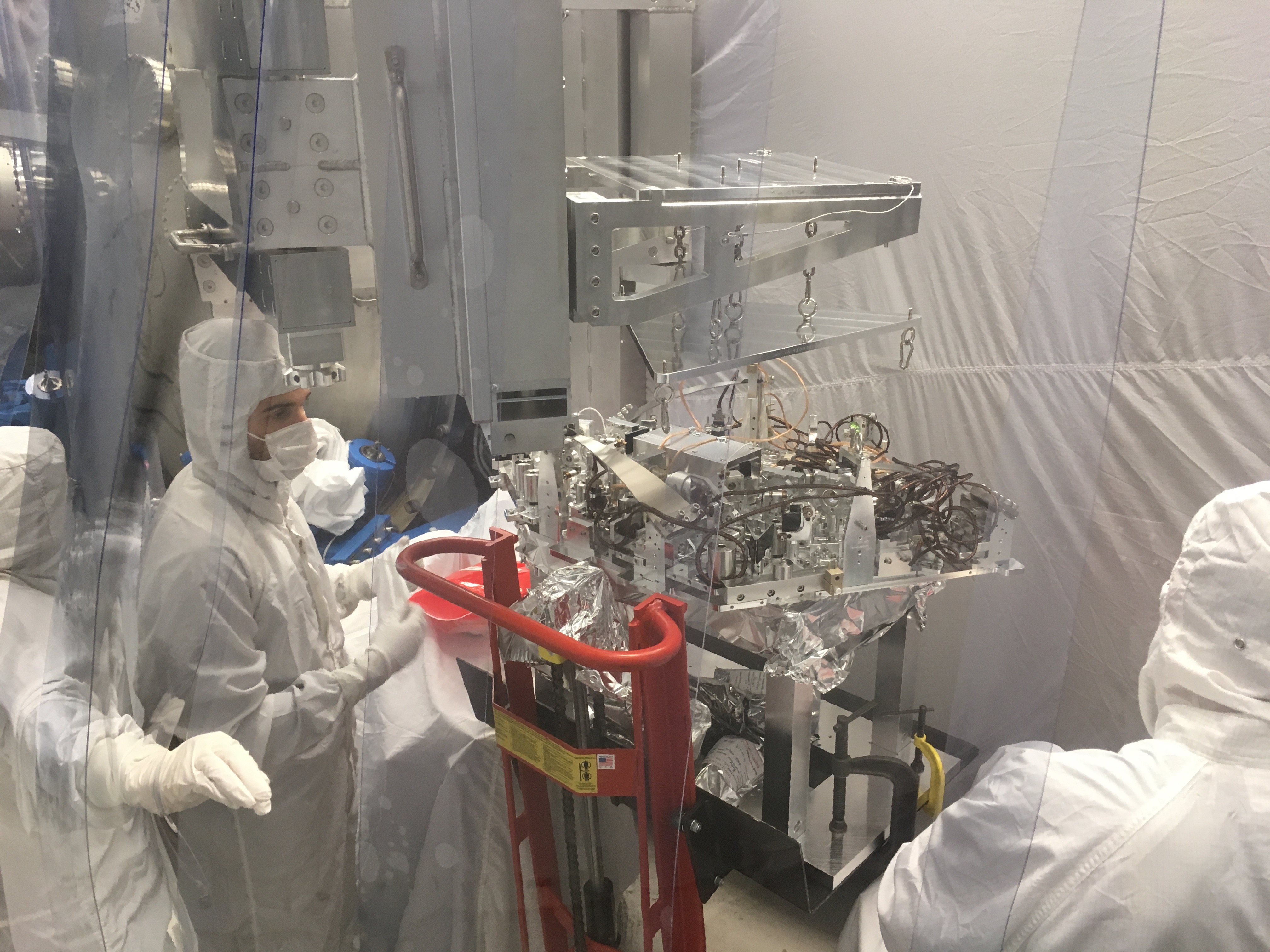
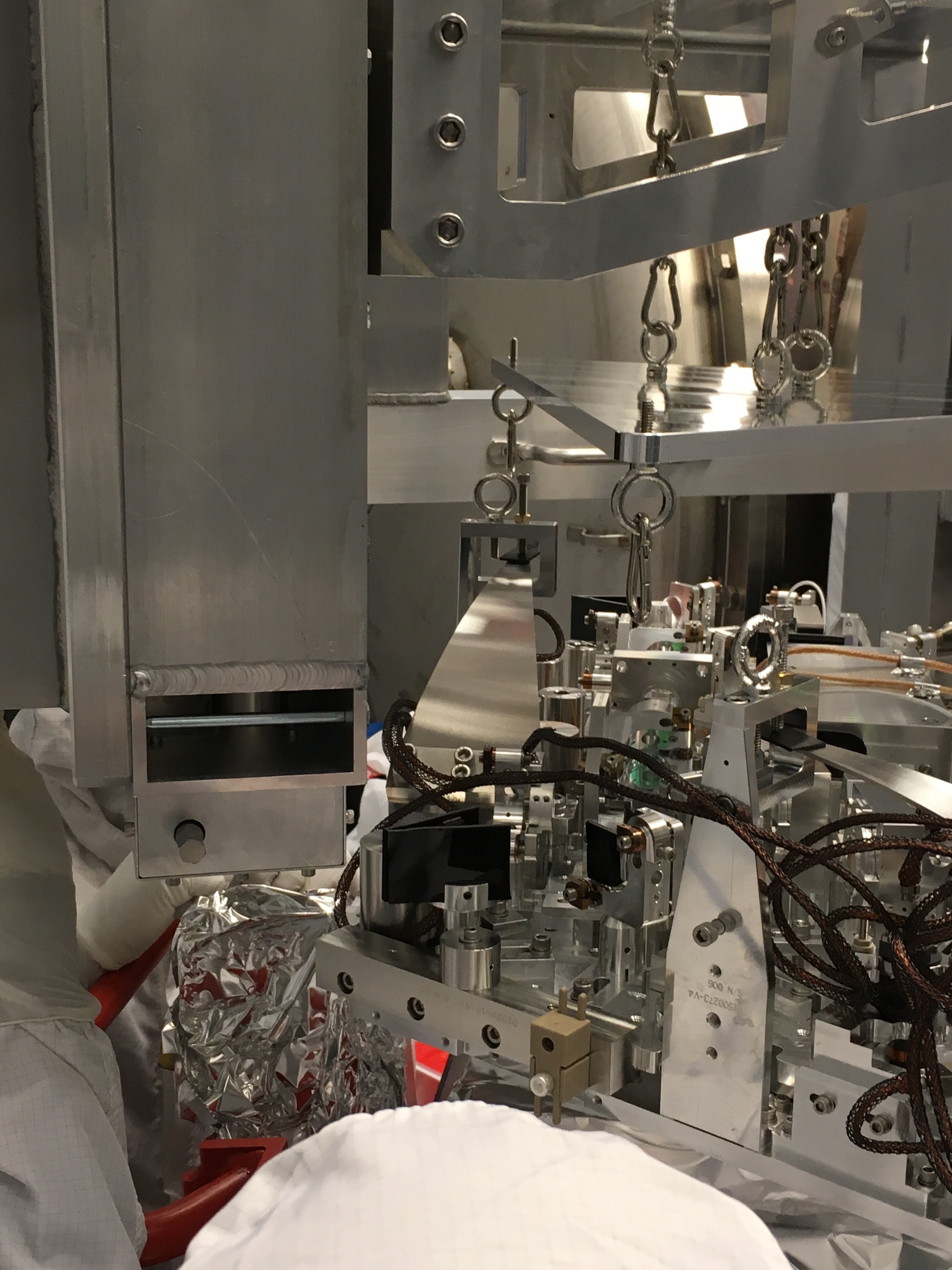
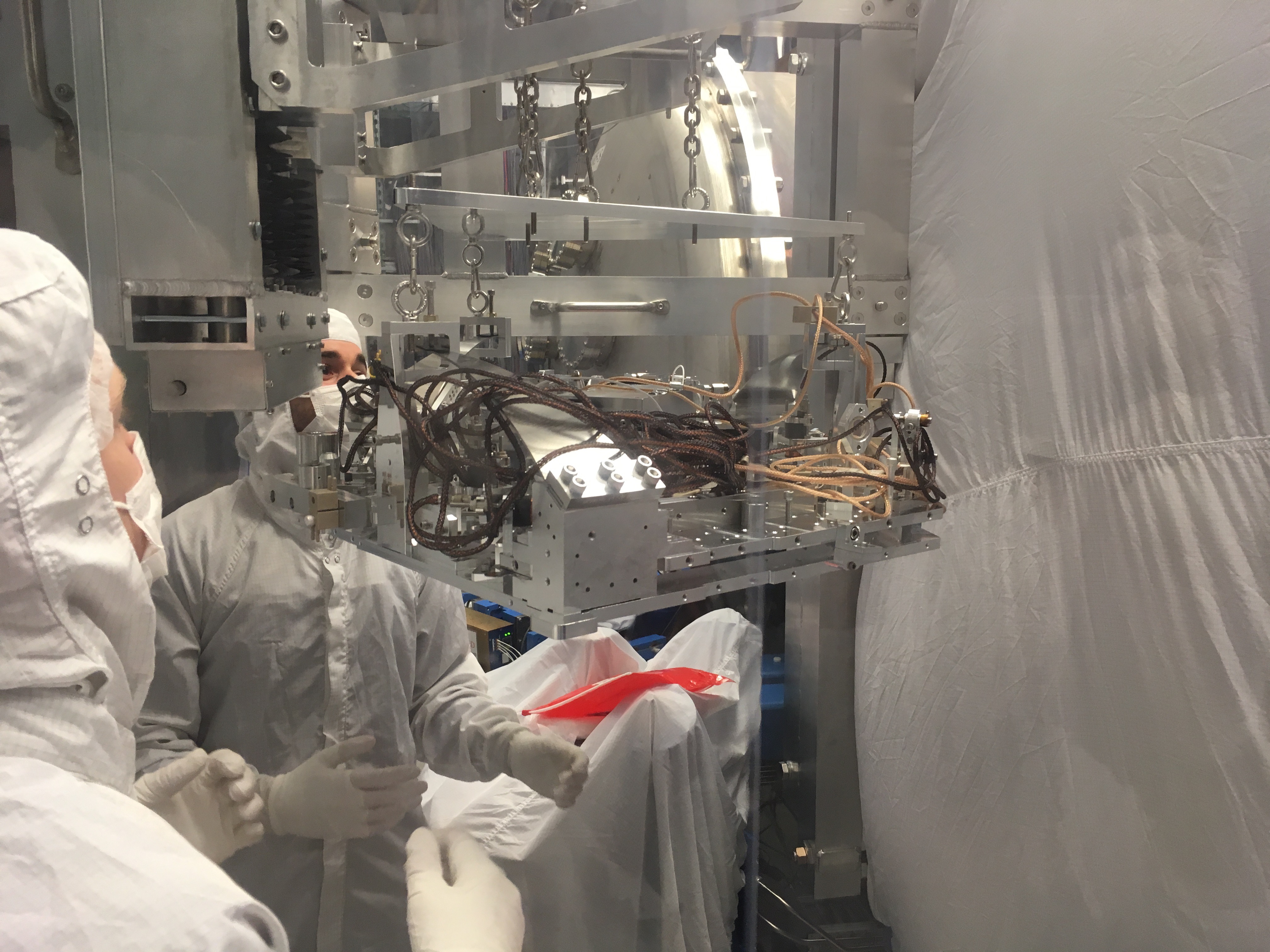
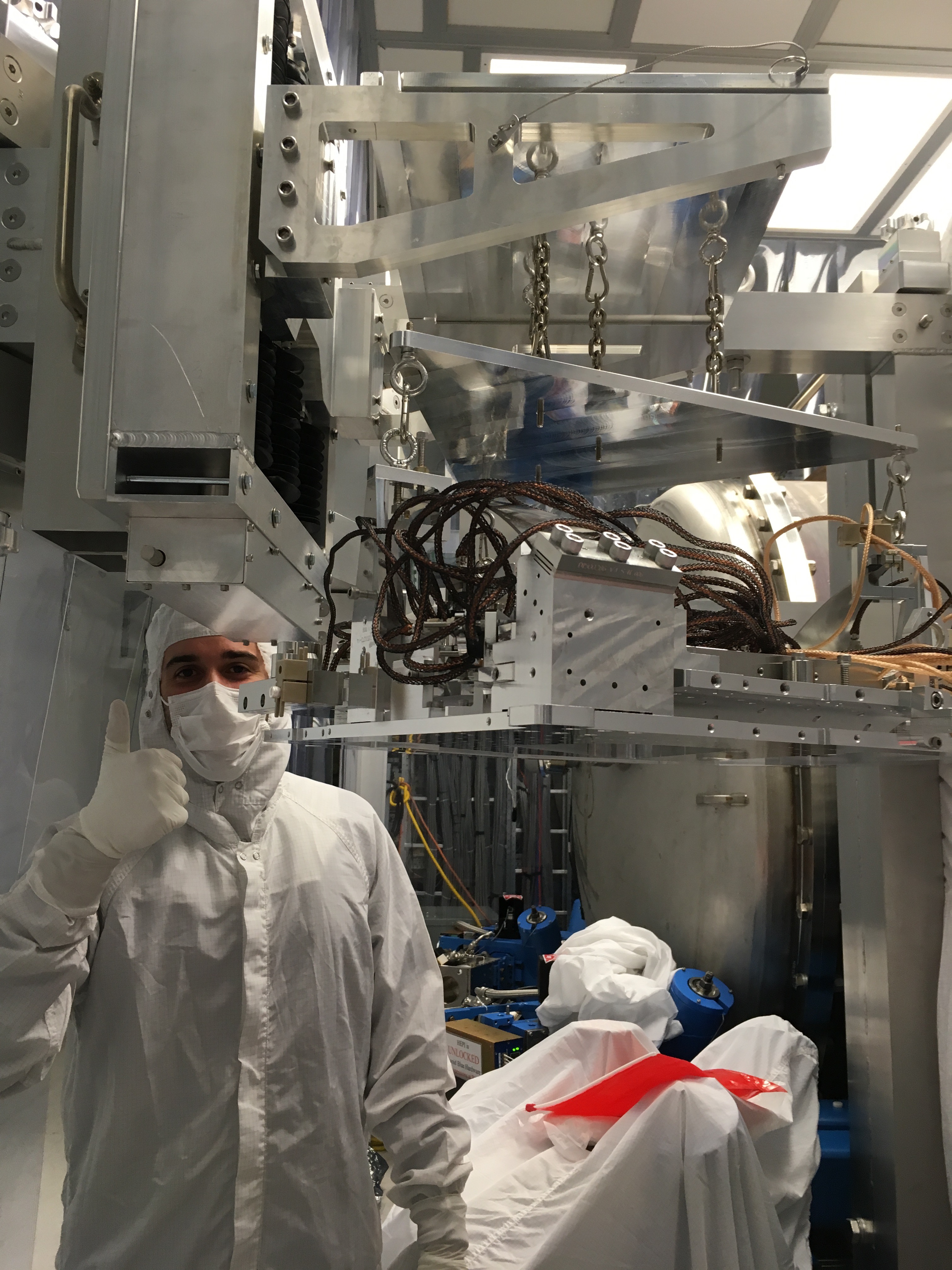
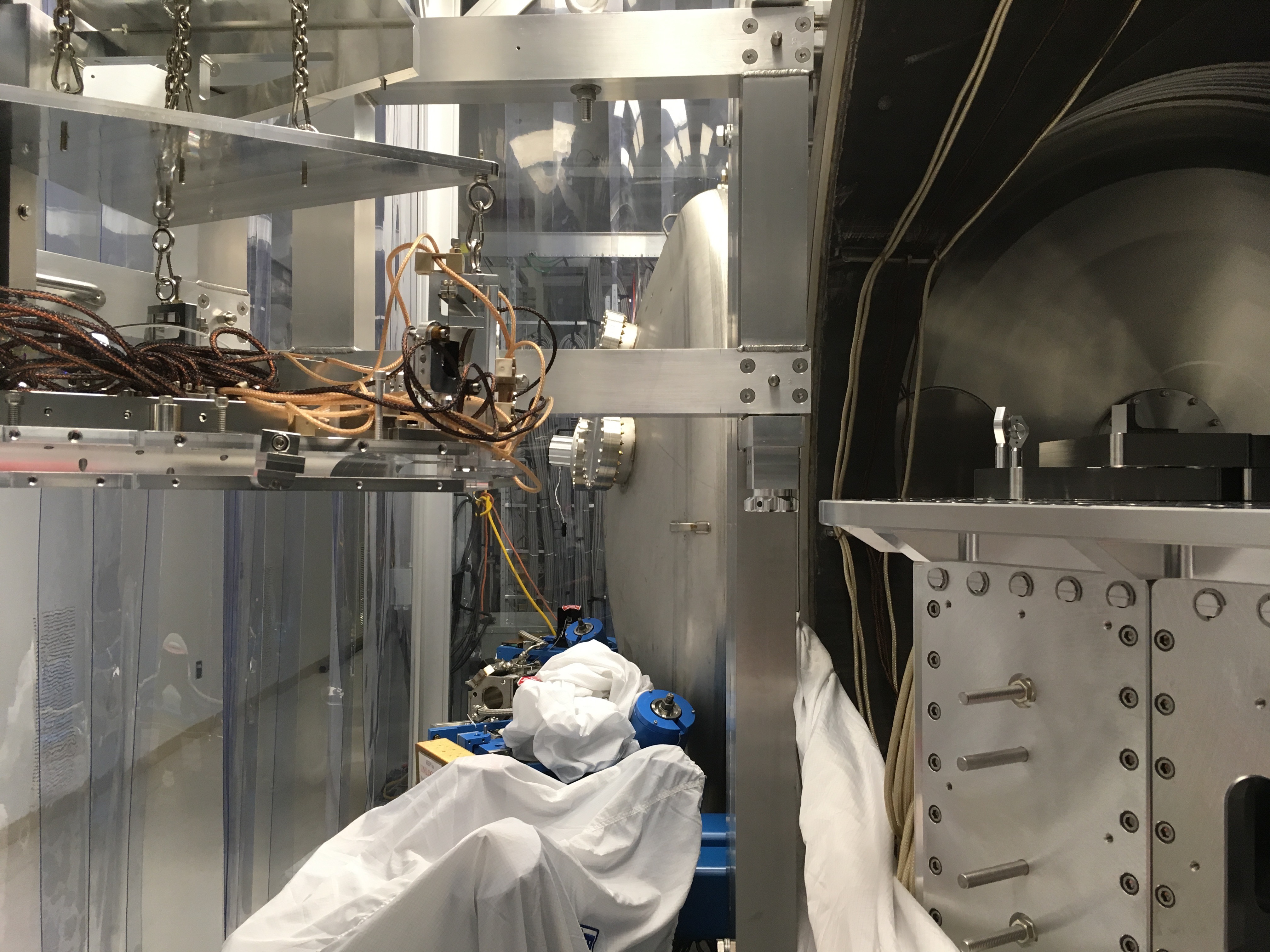
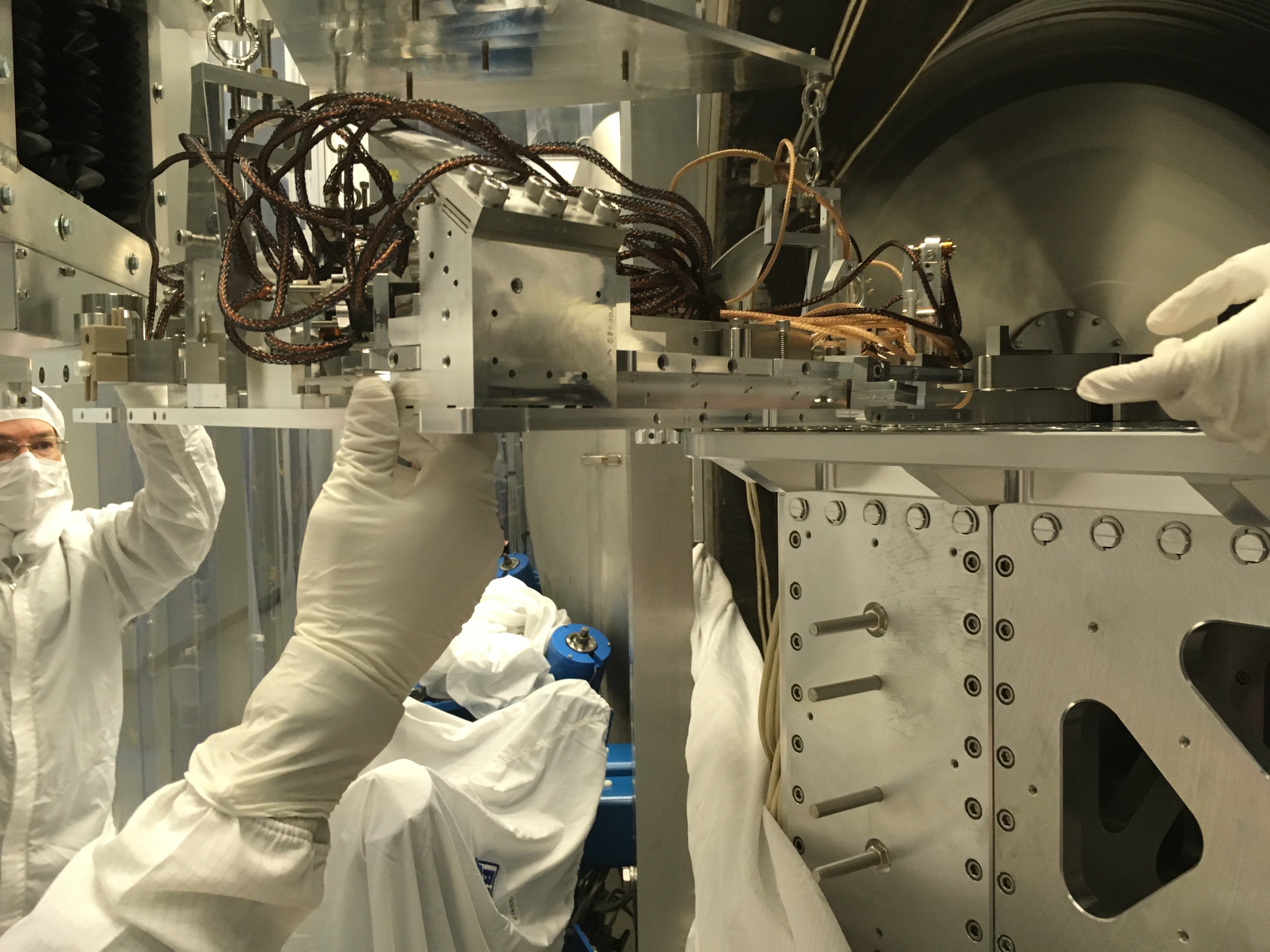
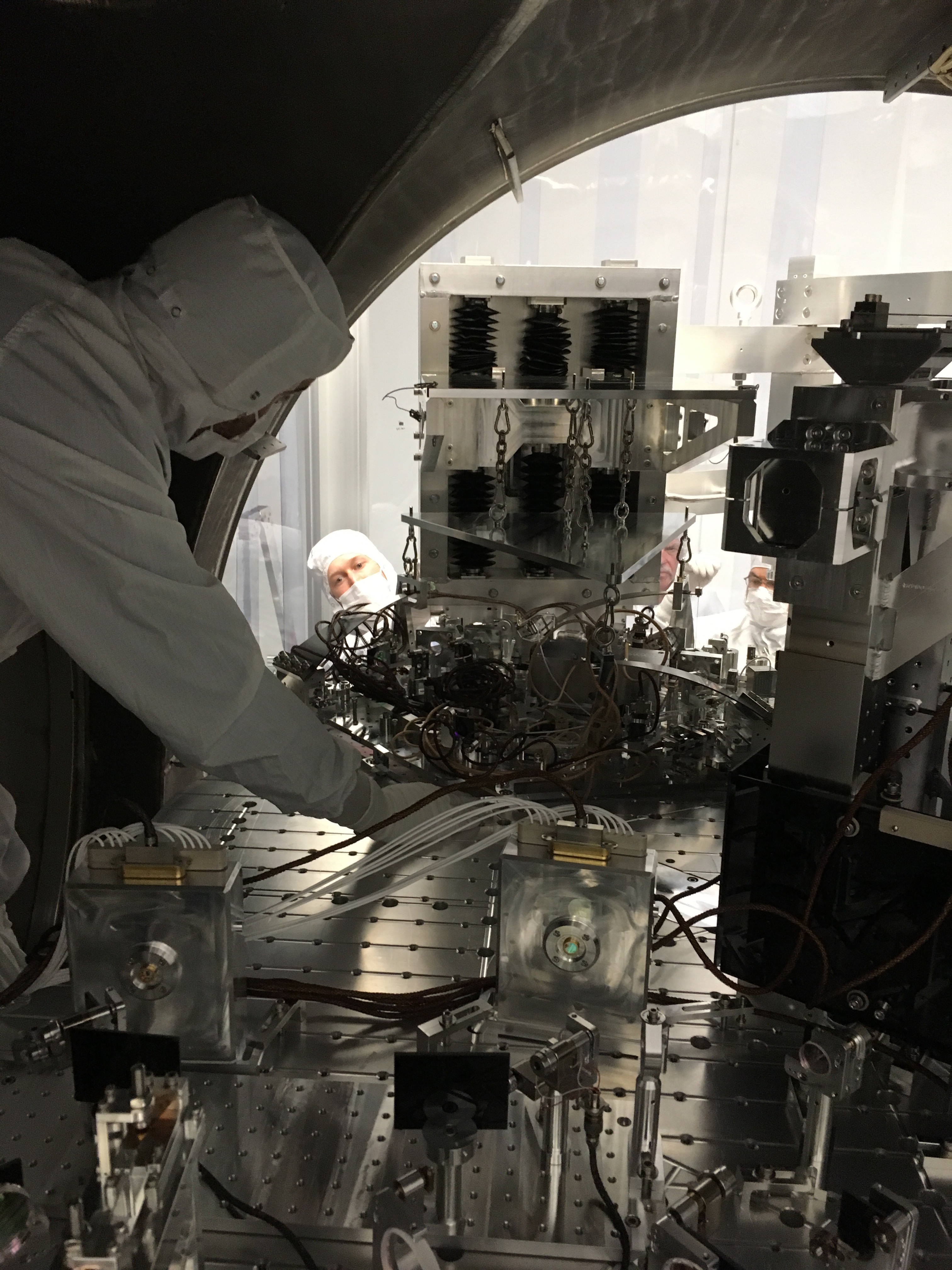
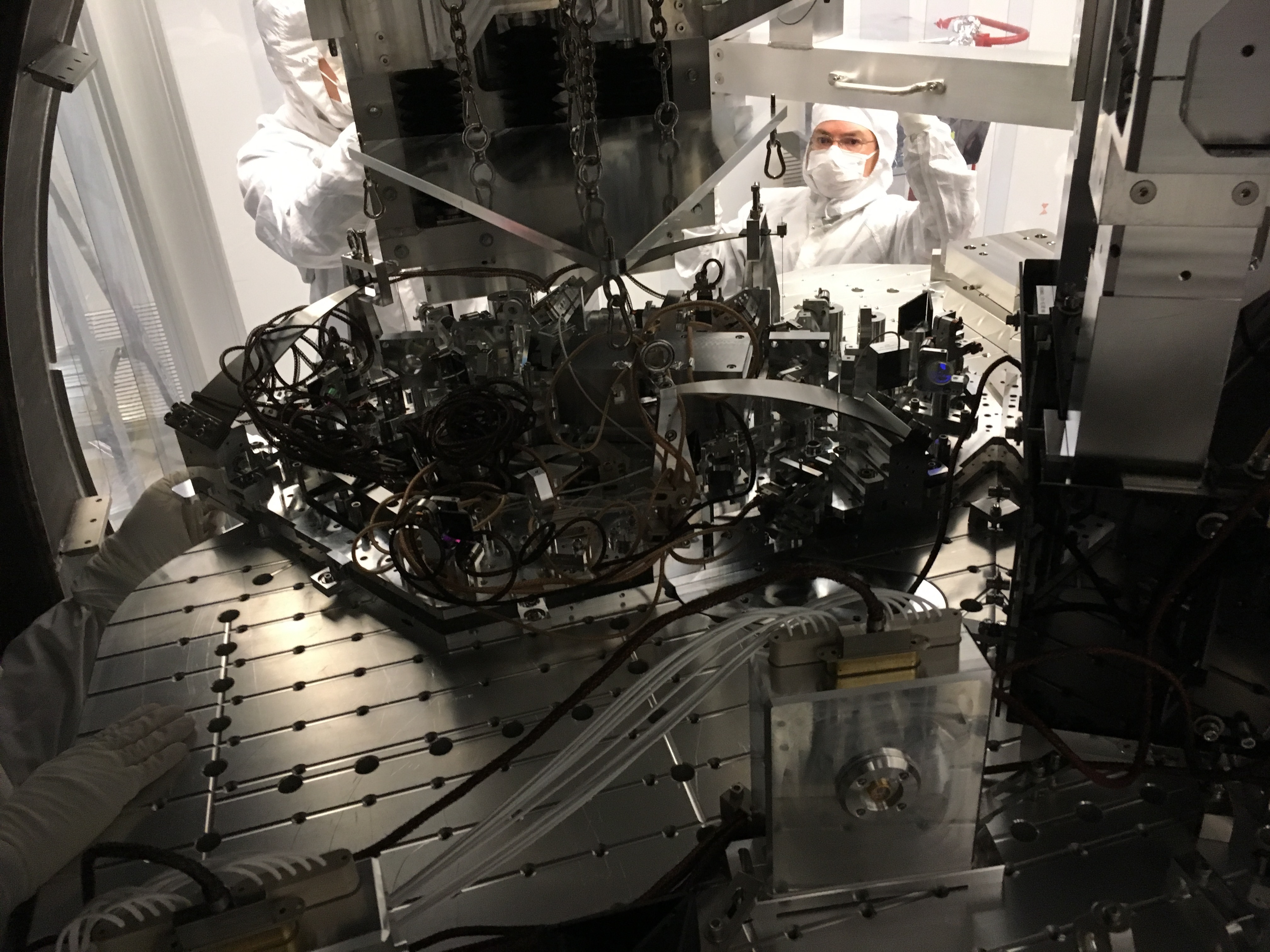
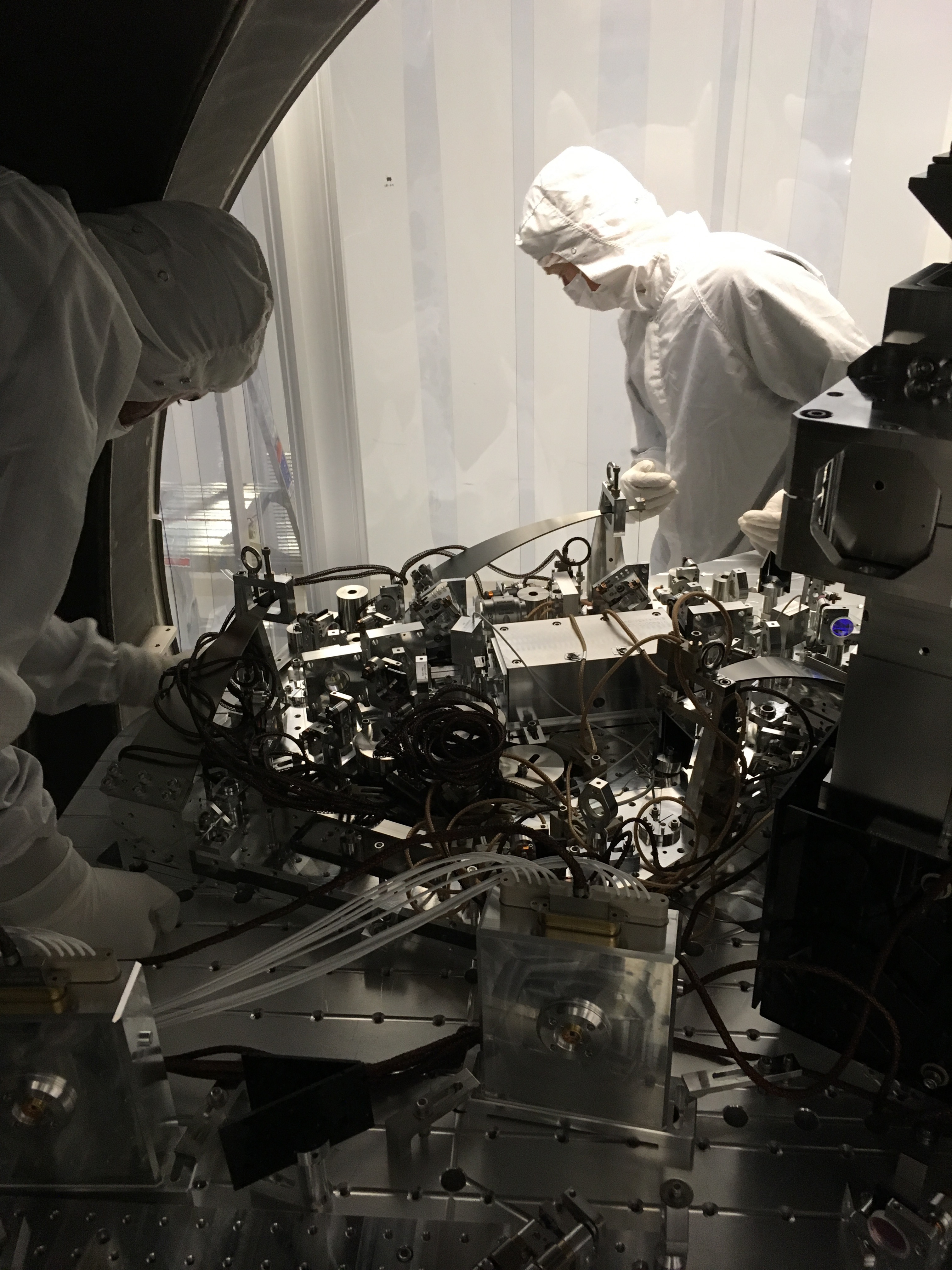
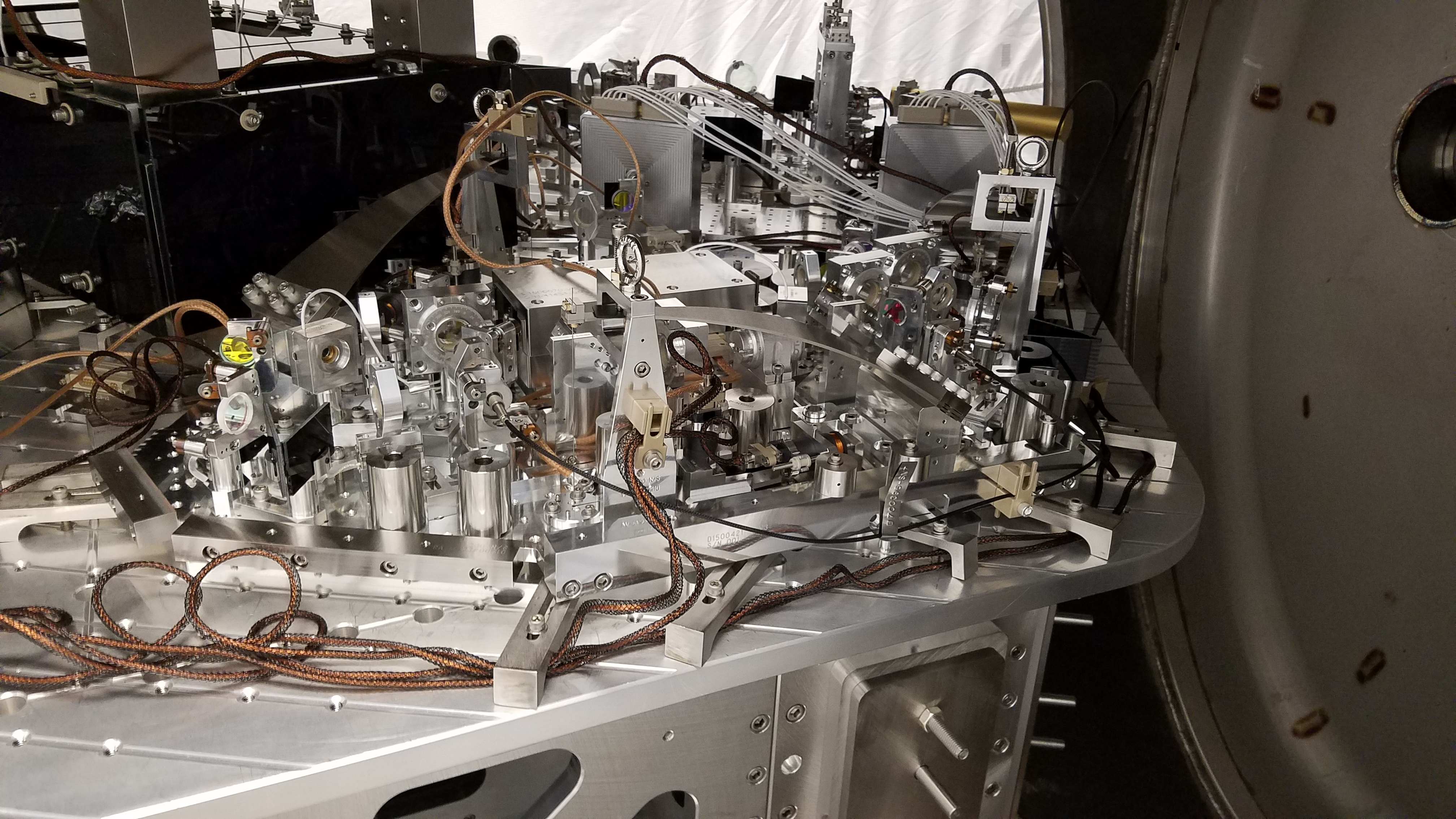
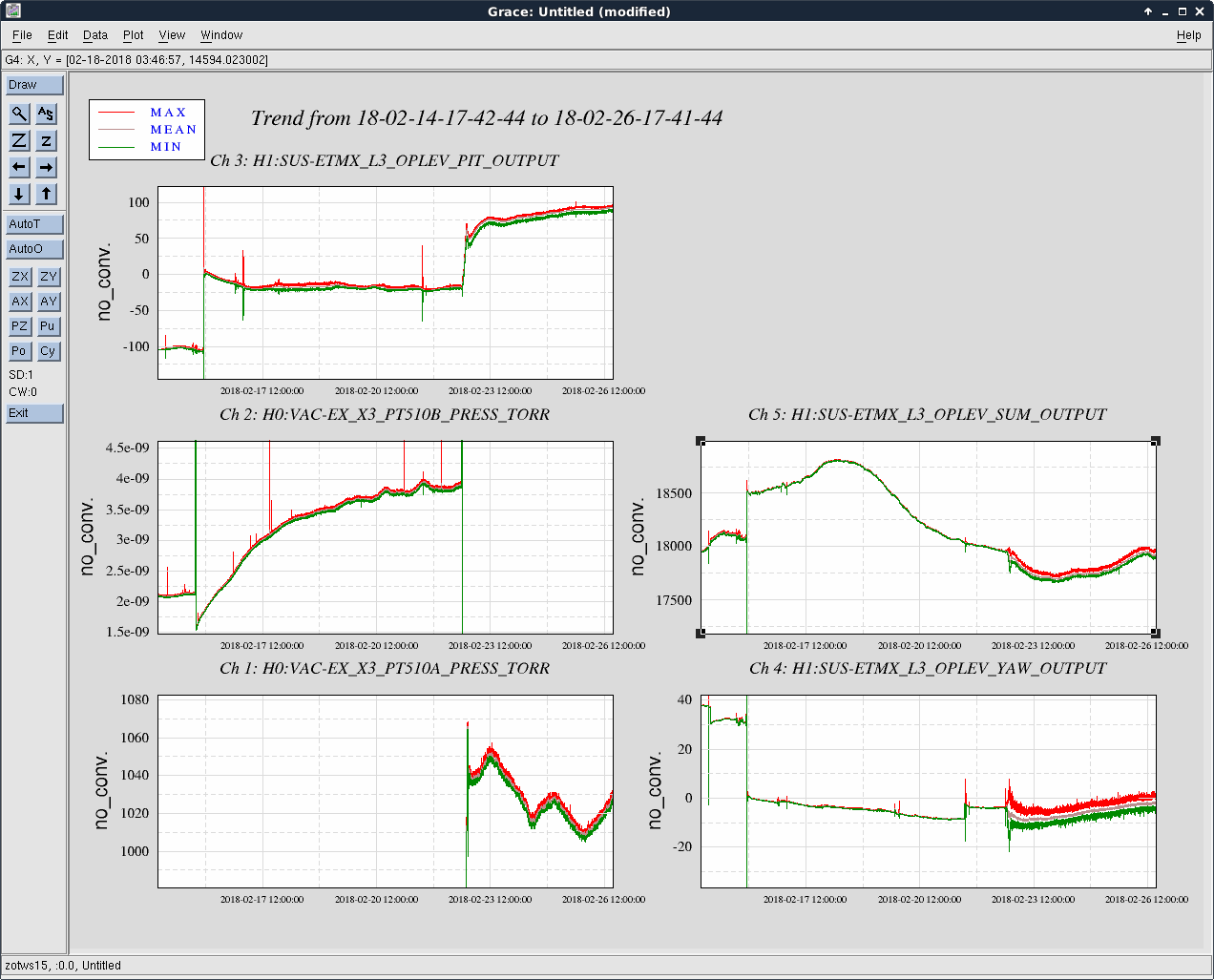
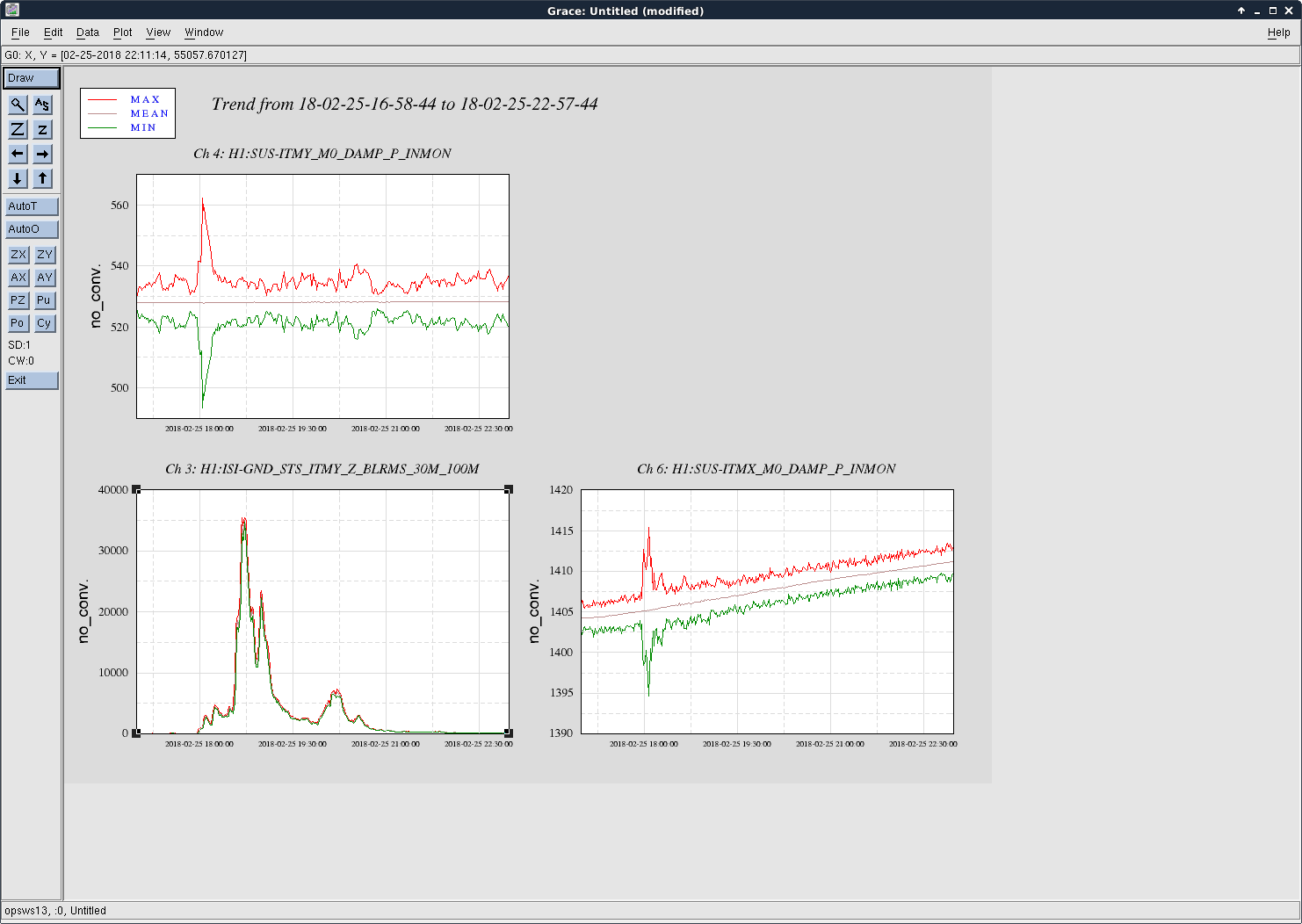
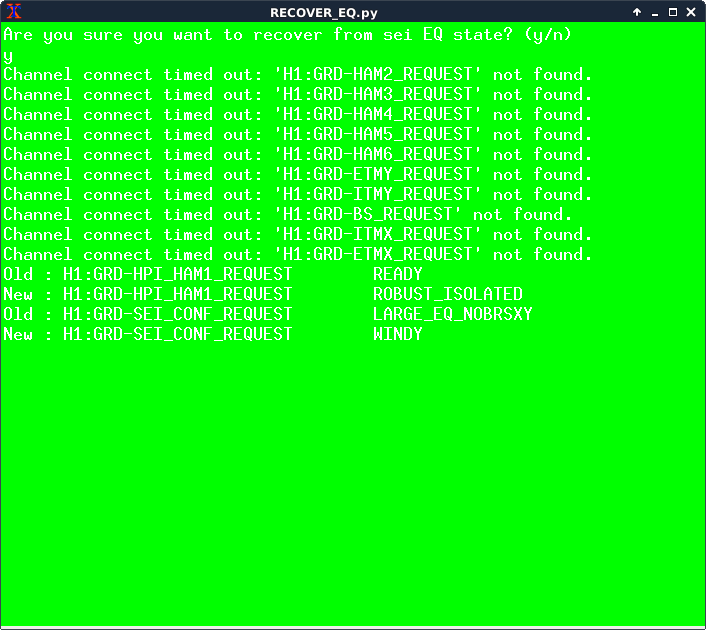
ROM RH2, which sits behind IM1, and steers the IMC Trans beam to IOT2L, was repositioned and realigned today.
As found, with a well aligned IMC that was flashing 0-0 and 1-0 modes, which has beams that are well centered on the IMC optics, the beam coming off of ROM RH2 encountered an OSEM cable on it's path off of HAM2.
The upper right IM1 OSEM cable was hanging down in front of the mirror, and clipped about 1/2 of the beam coming off of the table.
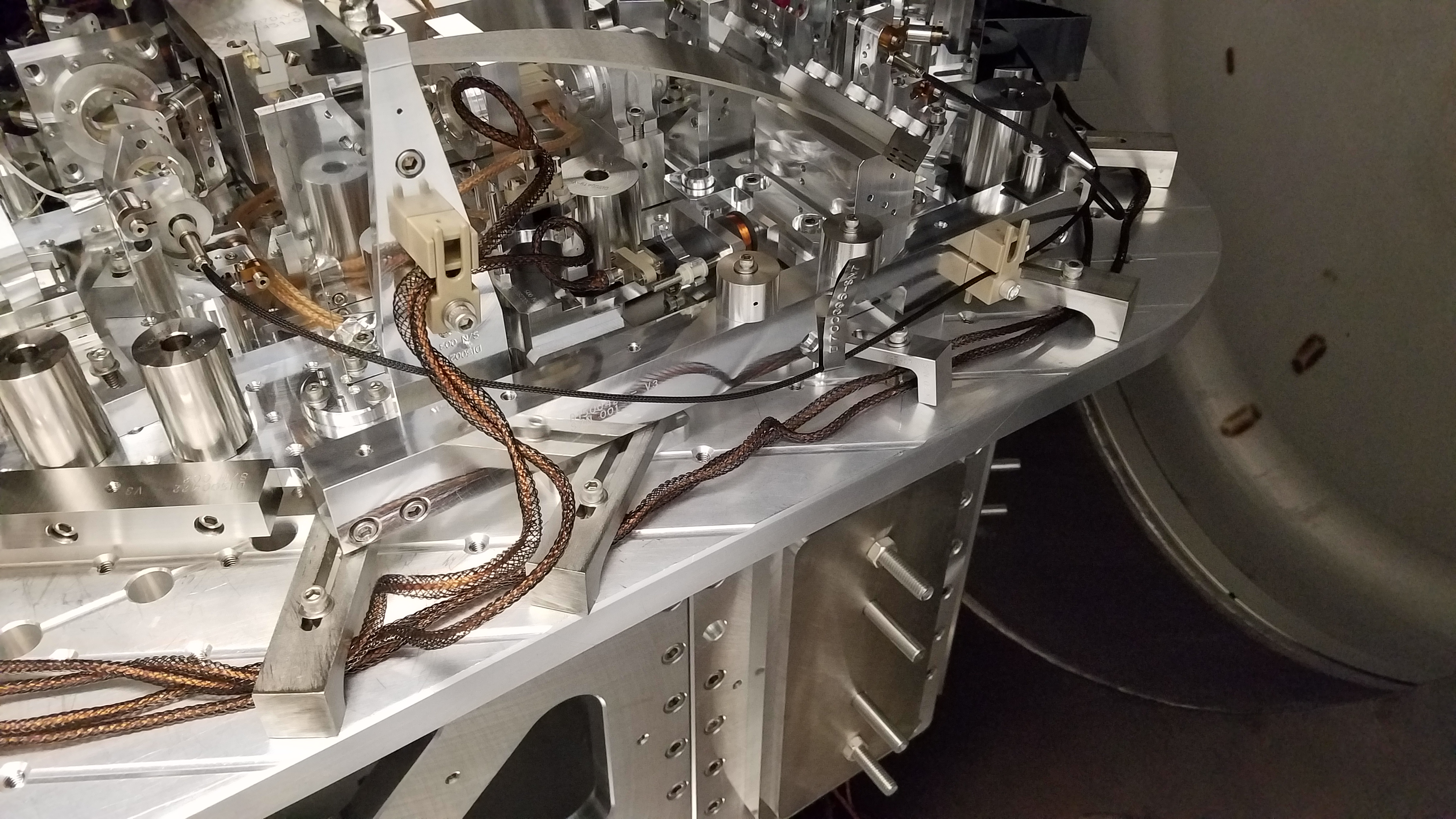
For a temporary fix, I used an aluminum strip that was not effectively holding the cable to a doc clamp, to hold the UR OSEM cable to the UL OSEM cable, in order to give the beam from ROM RH2 clear passage.
This was a temporary fix, and the long term fix is being worked on.
- Keita, Cheryl, Ed
TO DO:
- Ed, Keita, Cheryl
A. Bell, J. Oberling, T. Sadecki
After going through a full alignment check this morning, fiber welding began this afternoon. One false start (that resulted in a scrapped fiber prior to the start of welding and was a good reminder of proper technique) preceded the first successful fiber installation of the +X/+Y fiber. Only 3 more to go.
Log: Oct 5 13:23:50 conlog-master conlogd[6728]: terminate called after throwing an instance of 'sql::SQLException' Oct 5 13:23:50 conlog-master conlogd[6728]: what(): Invalid JSON text: "Invalid escape character in string." at position 44 in value for column 'events.data'.
Jeff, Richard, Dave:
I installed two new 16bit DAC cards in h1sush56's IO Chassis. To maintain an 18bit DAC bloc, followed by a 16bit DAC bloc, I moved the 5th 18bit DAC to a slot with a lower address (details and drawings updates will follow).
After the upgrade h1sush56 could not see its chassis. I noticed that when I powered up the chassis (first back switch, then front switch) the LED above the front switch did not turn on. Also the LEDs on the one stop card flashed but did not stay on. After switching one-stop connections between h1sush56 and h1susauxh56, I homed in on the chassis as being the culprit. Richard suggested a possible power issue due to the increased loading. I removed the new 16 bit DACs and returning the 5th 18bit DAC card to its original slot, I still had the error. So it was looking more like the 16bit-dac-interface cards were the cause of the problem. For a quick test I unplugged the power line to the interface bus and the problem went away. I removed the two new interface cards one at a time and found that the card with S/N S1500322 was the problem child. After replacing the bad interface card, re-relocating the 5th 18bit DAC, re-installing the two new 16 bit DACs I was back on track.
On the software side, I modified h1iopsush56 to add the two 16bit DAC cards. Jeff modified h1susomc to add the OM1,2,3 tiptilt controls (using the first of the two new 16bit DACs). After model restarts, watchdog untripping and a DAQ restart at 16:57PDT the upgrade was completed.
Today with help from Daniel Sigg and Patrick Thomas I changed the names of SQZ WFSA and SQZ WFSB to H1:ASC-AS_A/B_RF42 , so that they will be consistent with the rest of our AS sensors and also to make clear that these are the same diodes as AS_A and AS_B. This is easier to do now that it will be later, and this will allow us to make the names consistent between beckhoff and the RCG. Because of the way the error handling is done in beckhoff, the easiest way to make this name change was to move the demods and whitening for these WFS from PLC4 to PLC2. The whitening for these WFS as well as squeezer LSC whitening was already read into PLC2 then sent to PLC4
Details for the record (this is a little pedantic so that it might be useful for people trying to remember how to make changes in beckhoff):
To make the changes in PLC2:
Changes in PLC4 were easier, just delete everything that has to do with the SQZWFS in all three tabs.
Reminder: After making changes in the target area, if you save in the svn area you need to fix the links that would be broken for LLO if you were to comitt. You can do this by going to the Resources tab, and right clicking on Global_Variables_Version, choosing Object Properties and make sure the path is C:SlowControlsTwinCATSourceCurrentInterferometerVersion.exp; do the same for Global_Variables_IfoVar to C:SlowControlsTwinCATSourceCurrentInterferometerCornerIfoVar.exp
After making the PLC changes, rebuilding and logging in and running both PLCs, I opened the LHO system manager and under the PLC tab right click on the PLCs you changed and choose Rescan Project.... For the whitening no changes were necessary, but for the demods you have to link the new variables to the correct channels of the correct modules. (Wiring diagrams for beckhoff chassis can be found under this document tree: https://dcc.ligo.org/LIGO-E1200204) The easiest way to do the linking might be to find the hardware under the Cofiguration tab (most corner stuff is under I/O Devices/ Device 1(EtherCAT) /Corner MSR L0 (EK1101)/ Corner MSR L8_9 Vertex, when you locate the module you need right click on it to choose the variable you want to link it to. After making changes to the system manager under Actions you can in order select Generate Mappings, then Check Configuration, then Activate Configuration, then Set/Rest TwinCAT to Run Mode
If things are fine, you can copy the .tsm file from the target area to the svn directory (C:SlowControlsScriptsConfigurationH1ECATC1SYS or similar). To make the changes to the system manager for LLO, I first committed everything I had done so far to the SVN, then updated from the SVN, then opened the install scripts (icon looks like a bunch of gears) choose the appropriate LLO target and ran Update from Source and Compile. Then we had a target area for LLO, where I went to open the LLO system manager, scan the PLCs, make the links, then save this into the svn directory.
Finally, there were 4 documents that were updated to reflect this change:
JIm, TJ, Betsy, CIT SYS Calum and Stephen
So, today, we started cable routing for the new SQZ Tip Tilt in HAM5. However the DAQ/model additions were having some issues (see other logs), so we paused at finishing the full cable connections BOSEM-to-Feedthru.
We then redirected back to baffle install and immediately discovered that the LHO HSTS suspension structures do not have all of the holes as shown on the most recent structure drawings. There are 7 versions of the structure drawing D020023, but between v4 and v5 more holes were added. It seems LLO got "newer" versions while LHO got something older (ICS records must be inaccurate). Recent LLO baffle install alogs seem to indicate no issues with install. We however, can only attach the SRM and PRM baffles with 4 of the 8 screws needed to ensure non-clapping attachment.
Aborting the task and moving to the team speak in my office, we broke the news to Calum and Stephen. After the laugh-crying stopped, we bantered up a fix. I've looked at the schedule and we will proceed with the numerous other tasks (installing for payload the partial baffle assy since it ~mostly works sans all the attachment holes) and swap the problematic parts when they are available in a few weeks. Lots of work to do in HAM2 and 5 still.
A clean room was placed over the turbo pump on the Y Beam Manifold today. The curtains were especially dirty and sticky so all of the curtains were removed and wiped down before we relocated the clean room.
Added 200ml water to PSL crystal chiller.
J. Kissel, D. Barker After confirming functionality of the RMs after they've been moved over to the h1sush2b computer yesterday (LHO aLOG 38883), I've now (re)created a safe.snap SDF file and loaded it into the front-end system. The new version of the safe.snap has been committed to the userapps repo. Notes - I have not yet created an OBSERVE.snap -- I'll wait until we get some sort of low noise sensitivity again. - I've unmonitored only the optic alignments offsets and the COMMISH message for each RM, otherwise, all channels are monitored. Details How I did created the new snap (following/updating instructions from LHO aLOG 17188) (1) Bring suspensions to SAFE state via their guardian (after confirming all settings are the way you like them). (2) Modify permissions of the new model's target area burt directory ]$ cd /opt/rtcds/lho/h1/target/h1sushtts/h1sushttsepics/ ]$ chmod 2775 burt ]$ ls -l ... drwxrwsr-x 2 controls controls 18 Oct 5 11:34 burt ... ]$ (3) Create / update safe.snap in the userapps repo using makeSafeBackup (from anywhere, it's in the bin path), e.g. ]$ makeSafeBackup sus h1sushtts (4) Confirm the safe.snap in the burt folder of the target area for each model is a softlink to that repo file. ]$ ls -l /opt/rtcds/lho/h1/target/h1sushtts/h1sushttsepics/burt/* lrwxrwxrwx 1 jeffrey.kissel controls 64 Oct 5 11:28 safe.snap -> /opt/rtcds/userapps/release/sus/h1/burtfiles/h1sushtts_safe.snap (5) Use /ligo/cds/userscripts/sdf_set_monitor.py to add a "1" to the end of each burt setting line, ]$ sdf_set_monitor 1 /opt/rtcds/userapps/release/sus/h1/burtfiles/h1sushtts_safe.snap (6) Load the new safe.snap into the front end as the accepted table of good values by - Open up the SDF screen, find the "SDF RESTORE SCREEN" - "SELECT REQUEST FILE" selecting the target area safe.snap (which is now a softlink to the userapps repo) - Hit "LOAD TABLE" (7) Back on the main SDF screen, you should see lots of "TOTAL SET PTS" now, and maybe a few "NOT INIT." If there are NOT INIT values, then - switch the TABLE SELECTION to NOT INIT - select ACCEPT and MON of all the channels you see and CONFIRM (8) Commit the new safe.snap file to the userapps svn repo ]$ /opt/rtcds/userapps/release/sus/h1/burtfiles ]$ svn commit -m "New version of the file that only contains the RMs, made after the RMs had been moved from asc0 computer to sush2b computer." h1sushtts_safe.snap
The old TCS laser tables that were in the north bay of the LVEA were disassembled yesterday. The lasers were stored in the room on the termination slab in the north bay and the remainder of the parts were moved outside for recycle.
IMC/HAM2/HAM3/PSL:
- Amber, Cheryl, Keita
Unusual angles on HAM2 and HAM3 ISIs (alog 38876) tracked down to electronics that were turned off. Once the electronics were restored, ISI position sensors returned to 15urad change on HAM2 and 3urad change on HAM3, which does not significantly effect the IO system alignment.
- Jim, Hugh, Richard, Fil
Both HAM2 and HAM3 ISI tables are tilted to the NE, approximately 250-300urad. Hugh brought this to my attention, and my assessment was that this is of no consequence, as long as this tilt also exists when the chambers are under vacuum, and according to Hugh, signals from the ISIs point to this tilt having existed under vacuum, and for a while. Keita and I also discussed later on, and this tilt is not an issue for IO, assuming only small changes when we pump down the chambers.
- Cheryl, Hugh, Keita
Tomorrow:
J. Oberling, T. Sadecki
Today, Jason got the IAS equipment moved into the biergarten cleanroom and setup to begin IAS of ITMx for upcoming welding scheduled to start sometime tomorrow. We ran through the first round of alignment of the Quad lower structure and PUM and TM optic. The only issues we encountered were with our recollection of the process since it has been 3 years since we have done it last. Tomorrow, we'll run through another round of alignment checks before starting welding.
Issues reported with some of the volt monitor readbacks for RM1 and RM2, alog 38883. The tip-tilt coil drivers were pulled out and the output buffer IC's OP27 (IC5) were replaced.
S1200608, IC5 replaced on all channels.
S1200609, IC replace on CH2,CH3, and CH4.
J. Kissel, F. Clara Put in offsets that the COILOUTF to double check whether the VOLTMONs were functional. Didn't see a reaction out of the VOLTMONs on the MEDM screen. Went out to CER with Fil. Double checked that the VOLTMONs were functional by inserting 0.5 [V] into each coil driver's DAC input with an independent voltage supply, and saw reaction in VOLTMONs on MEDM screen. Now suspicious of the AI / DAC chain, Fil inspected the pins (which were clear) then reseated / better seated the DAC SCSI cable at the back of the IO chassis. Functionality restored: offsets in the COILOUTF make the VOLTMONs light up. So, apparently the damping loops I'd turned on yesterday weren't doing anything. Turned on the damping loops and they now appear unstable, will investigate further.
Resolution of problem described in LHO aLOG 38893.
J. Kissel, D. Barker, F. Clara Since we started rearranging the SUS analog sugnal chains to incorporate / make room for the new SQZ SUS (i.e. VOPO, OFIS, ZMs 1&2) -- see LHO aLOG 38827 -- and subsequently fractured off the RMs into their own model run on the h1sush2b computer, and installed -- see LHO aLOGs 38796, 38805 -- the RMs digital control infrastructure has been empty. Today I restored all filters and EPICs records necessary for local damping, and confirmed that there wasn't anything else. There were some confusing discoveries, as there always are with these poorly maintained suspensions, but I elected to not chase the rabbit down the hole and just restore the SUS exactly as it was at the close of O2. I've not yet committed all changes to the repository because I want to wait for the svn package to be complete, but things effected in making the RMs functional again: - Copied the userapps repo version of RM filters from /opt/rtcds/userapps/release/sus/h1/filterfiles/H1SUSHTTS.txt to the (now unhooked from the repo) chans version /opt/rtcds/lho/h1/chans/H1SUSHTTS.txt which *only* has RMs in it. - Generated and populated the OSEM2EUL and EUL2OSEM matrices using /ligo/svncommon/SusSVN/sus/trunk/HTTS/Common/MatlabTools/make_sushtts_projections.m and /ligo/svncommon/SeiSVN/seismic/Common/MatlabTools/fill_matrix_values.m - Restored open light current OFFSETs and GAINs in the OSEMINF filter banks using conlog. This was one point of unsurprising confusion: while LHO aLOG 8007 reports values for open light current and corresponding OFFSETs and GAINs -- even if they were poorly measured then because the ADCs were saturated -- those that had been installed for O2 were not at all those numbers in OFFSET, and the GAIN was set to 1.0, with no easily findable aLOG reporting the rationale. If we go into HAM1, we should just remeasure these numbers and install correct OFFSETs and GAINs. - Turned off the off-diagonal elements of the DRIVEALIGN matrix (making it an identity matrix), and made the SENSEALIGN matrix also an identity - Turned ON the OSEMINF sensor calibration filters, the COILOUTF driver compensation filters, DAMPing filters, watchdog's band-limiting filters. - Made both RM1 and RM2 WD threshold be 25000 [ct], though the average output in ambient damped state is in the low 10s, so this should probably be reevaluated. - Modified OVERVIEW medm screens such that the DAC and IOP DAC outputs account for the new DAC card arrangement, as well as the name change of the coil driver monitors (VOLTMON_??_MON to VOLTMON_??_OUTMON) to show the "upgrade" of those monitor channels to a full filter bank, which impacts the IMs as well /opt/rtcds/userapps/release/sus/common/medm/haux/ SUS_CUST_HAUX_OVERVIEW_all.adl /opt/rtcds/userapps/release/sus/common/medm/hsss/ SUS_CUST_HSSS_OVERVIEW.adl SUS_CUST_RM_OVERVIEW_ALL.adl - Modified the macros for those screens to report similar changes, again impacting the IMs as well /opt/rtcds/userapps/release/sus/common/medm susim1_overview_macro.txt susim2_overview_macro.txt susim3_overview_macro.txt susim4_overview_macro.txt susimall_overview_macro.txt susrm1_overview_macro.txt susrm2_overview_macro.txt susrmall_overview_macro.txt All compensation and control filters were and now are identical between RM1 and RM2. Also, in regaining MEDM the functionality of the controls, we discovered that the AA chassis for h1susauxh2 was busted. I'm sure there will be more things to fix (lots of non-functional links to ADC and DAC information, the coil driver MONITOR screen will need updating), but that's all I have steam for at the moment. I leave the RMs fully functional and DAMPED. I have not bothered to restore any alignment offsets. I attach several screenshots which capture this restored configuration.
J. Kissel After discovering that the DAC outputs from the I/O chassis were not getting to the coil driver (see LHO aLOG 38889), I turned on he damping loops again and they went unstable. I found a few more things I'd forgotten: - The COILOUTF gain signs needed to be restored to compensate for magnet polarity, UL = -1 LL = +1 UR = +1 LR = -1 (they had been all positive 1.) - Even though the analog circuit is jumpered to the "Low Pass ON" configuration, I still needed to set the digital request of the coil driver's BIO state to be 2. (It had been at 0) This was enough to get RM1 up and running as designed. However, the other confusing thing, was that RM2's signal / control chain has a different sign than RM1. I didn't discover this until I took a full suite of M1 to M1 transfer functions, and looked at the phase (which we rarely do). I think conlog'ed the gains back to an O2 time, and found indeed that RM1's damping gains are all +1.0, where as RM2's damping gains were -0.5, -1.0. and -1.0. I had put in all +1's yesterday, assuming the SUS would be the same. Eh, well. Found all the problems, and the RMs are now *confirmed* functional. Still need to now create a new set of SDF files for it so that these settings stick upon front-model reboot.
IM1 trans woes finally explained.
This beam was always clipping and was getting worse. We thought that we knew why but it was uglier.
1st attachment shows that the IM1 trans beam, when IMC beam is well centered on MC3 and IM1, is half blocked by the OSEM cable. Somebody thought that threading through the cable mid-air is great. If the beam moves to the right a bit, the beam will be completely blocked.
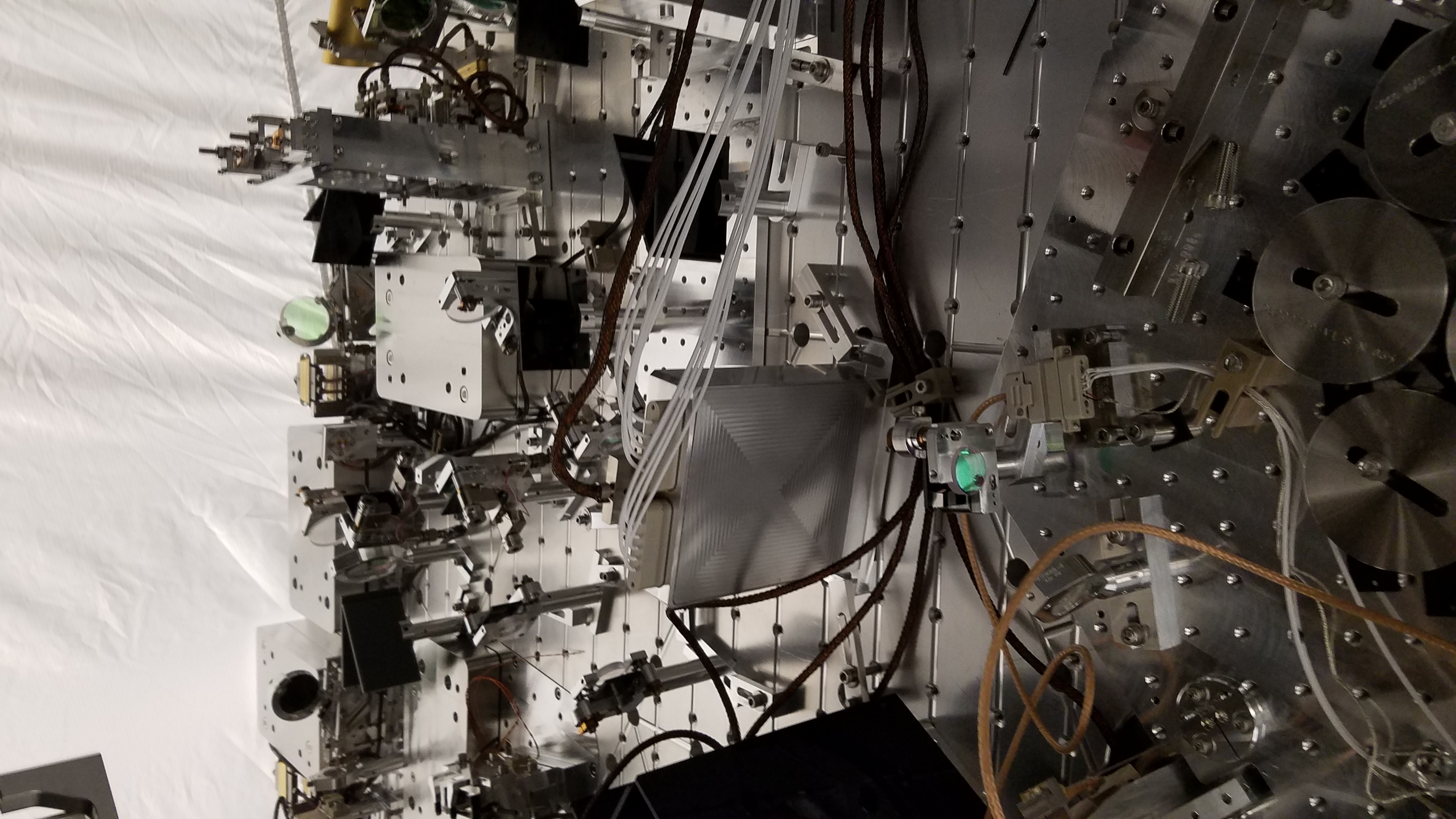
2nd attachment shows how close to the edge of the steering mirror the beam is when the beam is centered on IM1. As the beam moves to the left, the beam will be clipped and eventually will entirely miss the steering mirror before being clipped by the edge of IM1. I think that's how the IMC was aligned in late O2.
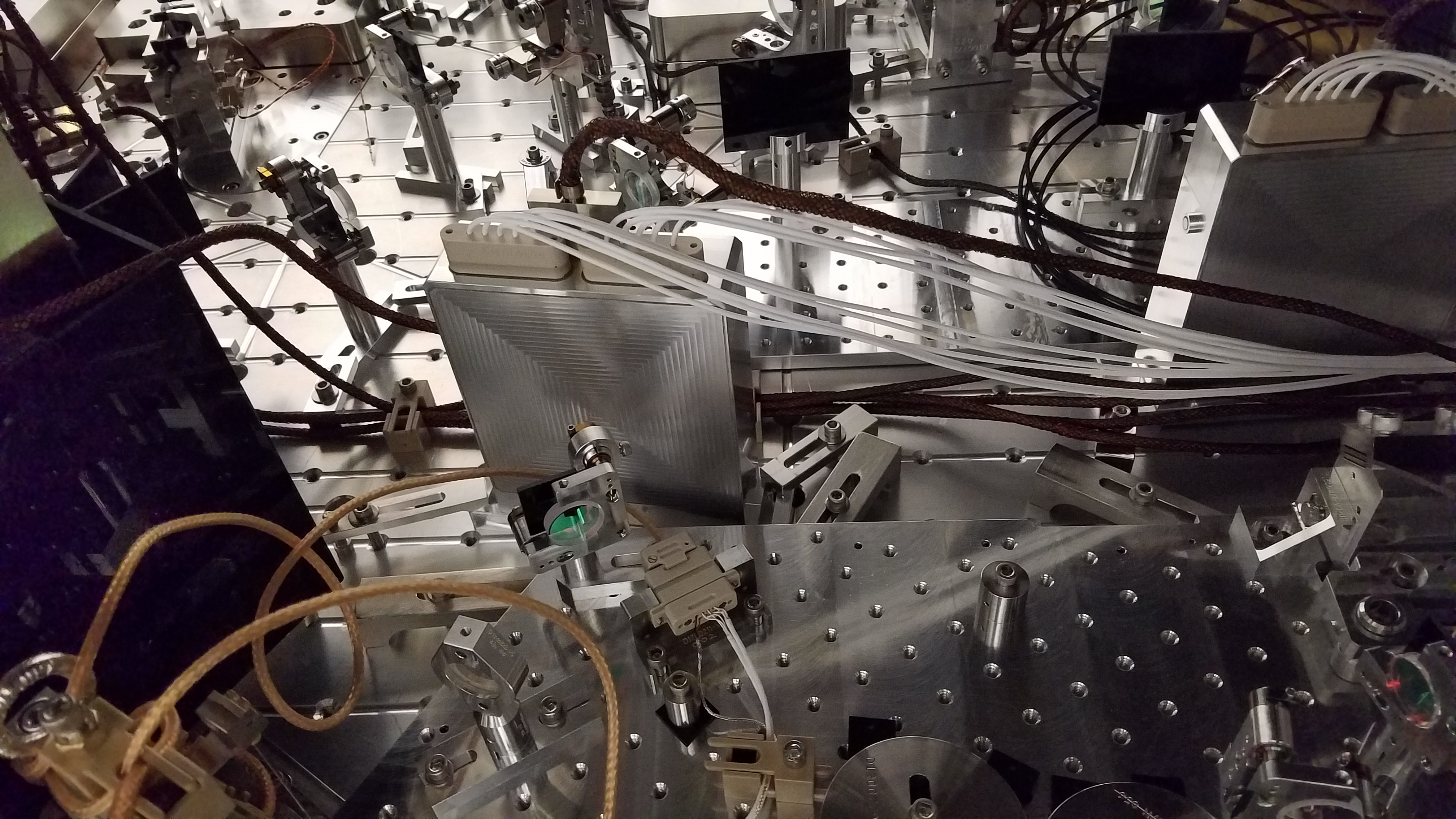
3rd attachment shows the beam path from another angle, showing the cartoon of the beam path and clipping points. I doubt that it was possible at all to exit cleanly here at any point in time.
4th attachment shows the temporary solution to route the problem cable over the top OSEM. After taking this picture, we moved the steering mirror so the entire beam is caught as far as the beam clears the back edge of IM1.